
Quick Summary: Not sure whether your business needs an ERP-led, CRM-led, or integrated stack? Explore how Odoo, Salesforce, and NetSuite differ in architecture, data ownership, workflows, integrations, customization, TCO, and scalability. Use business scenarios to understand trade-offs, identify the right evaluation criteria, and move one step closer to a decision that supports growth and resilience. Learn more now!
Choosing an ERP or CRM at the growth stage is rarely a question of which software has the longest feature list. It is a question of where your business needs a reliable system of record, how much complexity your operations can absorb, and how your technology stack should evolve as the company grows.
For businesses evaluating odoo erp development services, Salesforce development services, and NetSuite, the difficult part is often not understanding what each platform does. The difficult part is understanding what happens when finance, sales, inventory, manufacturing, customer service, reporting, and integrations all need to work together.
This guide takes an architecture-first approach to that decision. Rather than declaring a universal winner, it explains where each platform fits, where the trade-offs appear, what implementation actually involves, and how to evaluate the stack against your own business processes.
1. Why Choosing the Right Stack Gets Harder as You Scale: The Growth-Stage ERP/CRM Decision
Growth changes the technology problem. What worked when a company had a small sales team, one finance function, and a limited number of products can become difficult to manage once the business adds warehouses, legal entities, sales channels, employees, integrations, and more sophisticated reporting. At that point, software selection is no longer just about features. It becomes an architecture decision involving data ownership, process design, integration, governance, customization, and the organization's ability to maintain the system over time.
ERP vs. CRM: What Each System Actually Owns
An ERP primarily organizes the operational and financial side of a business.
That can include:
-
Accounting and financial management
-
Procurement
-
Inventory
-
Order management
-
Manufacturing
-
Supply chain processes
-
Project operations
-
Resource management
A CRM is primarily concerned with customer and revenue processes.
That can include:
-
Leads
-
Opportunities
-
Accounts
-
Contacts
-
Sales activities
-
Customer service
-
Marketing interactions
-
Pipeline management
-
Customer relationships
The distinction becomes important when a company grows.
A CRM can tell a sales representative that a customer has an open opportunity. An ERP can tell the organization whether that customer has outstanding invoices, available inventory, open orders, or purchasing dependencies.
The systems therefore answer different questions.
The market itself reflects this separation. Gartner reported that worldwide SaaS revenue reached $218.5 billion in 2024, with CRM accounting for 51.4% of SaaS revenue and ERP accounting for 20.2%. The figures do not determine which architecture a particular company should choose, but they demonstrate how significant both application categories have become within modern enterprise technology.
The architectural question is whether one platform should handle both sets of processes or whether two specialized platforms should exchange data.
ERP vs. CRM vs. SCM: Where Business Processes, Customer Data, and Supply Chains Meet
The boundaries become even more important when supply chain management enters the picture.
Consider a manufacturer receiving a new order:
Lead → Opportunity → Quote → Order → Inventory Check → Production → Shipment → Invoice → Payment → Customer Service
A CRM may be central to the first part of this journey. An ERP becomes increasingly important as the transaction moves into inventory, production, fulfillment, and finance.
This is why comparing products by individual features can be misleading.
The more useful question is:
Which platform should own each stage of the business process, and how reliably does information move between those stages?
When Do You Need an ERP, a CRM, or Both?
The answer depends less on company size than on business-process complexity. A smaller manufacturer can have more demanding ERP requirements than a much larger professional-services organization. Similarly, a relatively lean company with a sophisticated enterprise sales model may need deeper CRM capabilities. The useful starting point is to identify where information breaks down today and which processes are becoming difficult to coordinate. That creates a requirements baseline before any vendor comparison begins.
Typical signals include:
-
Multiple warehouses
-
Complex purchasing
-
Manufacturing requirements
-
Multi-entity accounting
-
Increasing inventory complexity
-
Growing finance teams
-
Manual reconciliation between systems
-
Heavy spreadsheet dependence
CRM complexity presents a different set of signals:
-
Large sales teams
-
Multiple sales pipelines
-
Complex lead qualification
-
Sophisticated sales automation
-
High customer-service volume
-
Detailed customer journeys
-
Revenue operations requirements
Some businesses eventually need both.
In that scenario, the objective should not be to make the two systems behave like identical copies of each other. Each should have a clearly defined responsibility.
The Warning Signs That Your Current Stack Has Outgrown Its Architecture
Watch for these patterns:
The same data exists in several systems. If customer, product, or order information is repeatedly copied between applications, data quality becomes a process problem.
Employees reconcile information manually. Manual reconciliation is often a symptom of weak system integration rather than merely an administrative inconvenience.
Reports disagree. When finance, sales, and operations produce different answers to the same business question, the organization may lack a clear system of record.
Custom spreadsheets have become mission-critical. A spreadsheet that supports a one-off analysis is normal. A spreadsheet that determines inventory availability or revenue reporting every day deserves architectural attention.
Integrations are becoming harder to maintain. Point-to-point connections can work initially but become difficult to govern as the number of systems increases.
2. Odoo vs. Salesforce vs. NetSuite at a Glance
Before going deep into individual platforms, it helps to establish the architectural differences between them. Odoo development company approaches the problem as a broad, integrated business application suite; Salesforce development company in USA is strongly centered on CRM and customer-facing processes; NetSuite is centered on cloud ERP and financial and operational management. These descriptions should be treated as starting points rather than final judgments because each platform can be extended and integrated. The real decision depends on which capabilities your business needs to make central.
A Side-by-Side Comparison of ERP, CRM, Automation, Integration, and Customization
The most useful comparison categories are:
-
Business-process coverage
-
System-of-record ownership
-
CRM depth
-
ERP depth
-
Customization requirements
-
Integration complexity
-
Data governance
-
Implementation effort
-
Total cost of ownership
-
Long-term scalability
The weighting of these categories should change depending on the business.
A manufacturer and a software company may evaluate exactly the same platforms but arrive at very different conclusions because their architecture problems are different.
Comparison Table: Odoo vs. Salesforce vs. NetSuite for Growth-Stage Enterprises
3. What Is Odoo ERP and How Does Its Architecture Fit a Growing Enterprise?
Odoo implementation services are designed as a broad business application environment rather than a narrowly focused CRM or finance product. Its current platform includes applications spanning CRM, sales, accounting, inventory, manufacturing, purchasing, projects, and other functions. That breadth makes Odoo relevant to organizations trying to reduce the number of disconnected applications they operate. At the same time, its flexibility means architecture and customization decisions matter. The question is not simply what Odoo can do, but how much of your operating model should live inside it.
What Is Odoo ERP?
An Odoo ERP platform brings operational and financial processes into a connected environment.
In Odoo's case, the broader application ecosystem can cover areas such as sales, CRM, accounting, inventory, purchasing, manufacturing, projects, and other business functions.
The architectural benefit is straightforward:
More processes can operate against a shared business environment.
But consolidation is not automatically better.
A business should still ask whether the platform meets the depth, controls, integrations, and specialized requirements of its processes.
How Odoo Connects CRM, Sales, Accounting, Inventory, Manufacturing, and Operations
Consider a manufacturer selling a configured product.
A potential customer enters the CRM.
The opportunity becomes a quotation.
The quotation becomes an order.
The order creates operational requirements.
Inventory is checked.
If stock is insufficient, procurement or manufacturing can become part of the process.
The completed order is shipped.
Financial transactions are recorded.
The same business event can therefore move through multiple departments without requiring each department to maintain an independent version of the transaction.
That is the real architectural value to investigate.
Odoo ERP System: What You Get Out of the Box
The important question is not simply how many applications are available. It is whether those applications support the actual operating model without forcing the organization into unnecessary workarounds. Odoo's modular design allows businesses to use different functional areas together, but the implementation still needs a clear boundary between standard functionality, configuration, custom development, and external integrations. That distinction becomes increasingly important as a growth-stage company adds more processes and users.
Ask:
-
Which processes can be handled without custom development?
-
Which workflows require configuration?
-
Which requirements require custom modules?
-
Which external applications still need integration?
-
Which data should remain outside the platform?
The answers determine implementation complexity.
Modular Applications vs. a Single Monolithic Deployment
A modular ERP should not automatically be treated as a monolith.
A modular architecture allows an organization to activate and extend capabilities according to its requirements.
The challenge is governance.
Every additional module, customization, automation, or integration adds another dependency to maintain.
The objective should therefore be controlled modularity, not maximum customization.
Odoo ERP for Manufacturing, Distribution, and Operationally Complex Businesses
Manufacturing and distribution expose the value of an integrated ERP architecture because a single commercial transaction can trigger a chain of operational events. Sales, inventory, purchasing, production, warehousing, and finance are not independent activities. They depend on shared product and transaction data. Odoo's broad application model can be relevant here because its platform includes inventory, manufacturing, purchasing, quality, maintenance, and CRM capabilities within the broader suite.
The business should nevertheless test real workflows rather than rely on a feature checklist.
Where Odoo's Integrated Data Model Can Reduce Application Sprawl
Application sprawl creates more than a licensing problem.
It creates:
-
More integrations
-
More authentication points
-
More data synchronization
-
More monitoring requirements
-
More failure points
-
More ownership questions
Reducing the number of applications can simplify the architecture.
However, consolidation only creates value when the consolidated platform can support the required process depth.
Odoo ERP Development: When Standard Configuration Stops Being Enough
Every ERP eventually encounters business requirements that do not fit perfectly into standard workflows. The mistake is treating custom development as the default answer. Odoo's developer documentation describes its architecture as a multi-tier system and its extensions as modules that can add or alter business logic. That flexibility can be valuable, but it also means businesses need discipline around what they change, why they change it, and how those changes will be maintained.
A useful hierarchy is:
Standard functionality → Configuration → Automation → Custom development → External application
Start at the left.
Move right only when the business requirement justifies the additional complexity.
Custom Modules, Workflows, Views, Business Logic, and API Extensions
Custom development involve:
-
New models
-
Custom fields
-
Business rules
-
Workflow changes
-
User interfaces
-
Reports
-
Automated actions
-
External API integrations
-
Custom modules
The technical question is not simply whether a requirement can be built. It is:
Can it be built in a way that remains maintainable as the platform evolves?
Odoo ERP Development Services: What a Growth-Stage Implementation Actually Involves
Development services should be viewed as part of the overall solution architecture rather than as a coding activity that starts after software selection. A strong Odoo implementation needs to connect business-process analysis with data design, security, integrations, testing, deployment, and future maintenance. This becomes particularly important when a company is replacing several disconnected applications with one broader platform. The objective should be to create a maintainable system rather than simply reproduce every legacy process.
A leading Odoo development company generally goes beyond writing code. It considers:
-
Business-process discovery
-
Data architecture
-
Integration architecture
-
Security
-
Testing
-
Deployment
-
Upgrade strategy
-
Documentation
-
Monitoring
-
Support
Odoo Customization vs. Configuration: Understanding the Long-Term Maintenance Trade-Off
Configuration usually creates fewer long-term dependencies than custom code.
Odoo custom development becomes more appropriate when the process represents a genuine competitive or operational requirement that standard functionality cannot reasonably support.
A useful test is:
If the business process changes next year, how much code must change with it?
The answer can reveal whether a customization is solving today's problem while creating tomorrow's maintenance burden.
4. What Is Salesforce and When Should It Be the Core of Your Customer Stack?
A leading Salesforce development company in USA approaches enterprise software from a CRM-centered perspective. That makes it particularly relevant when customer acquisition, sales operations, service, forecasting, and customer engagement are major sources of complexity. The important distinction is architectural: a CRM can become the central platform for customer and revenue processes while an ERP handles financial and operational transactions. Salesforce itself frames the Odoo comparison around this difference in product orientation and broader technology strategy.
Why Should a Business Use Salesforce?
The business case typically starts with the need to organize customer-facing processes.
A company may want a consistent view of:
-
Leads
-
Accounts
-
Contacts
-
Opportunities
-
Activities
-
Service interactions
-
Customer journeys
The deeper architectural question is whether customer data and revenue workflows should sit at the center of the technology stack.
Sales, Service, Marketing, Automation, and Customer Data as a CRM-Centric Architecture
A Salesforce CRM becomes increasingly valuable when multiple customer-facing teams need to work from shared information.
Instead of sales, service, and other teams maintaining disconnected records, the architecture can provide a common customer context.
The value is therefore not merely the database.
It is the process layer built around the database.
Salesforce CRM vs. ERP: What Salesforce Does and What It Does Not Replace
One of the most common ERP/CRM mistakes is assuming that a strong CRM automatically eliminates the need for an ERP. The two platforms can overlap in some areas, but their architectural responsibilities can remain different. A sales team may need detailed customer and opportunity information while finance needs authoritative records for invoices, payments, accounting, and reporting. Understanding this boundary early prevents organizations from building expensive workarounds later.
A CRM can manage a sales opportunity.
An ERP may determine whether the business can fulfill the resulting order profitably and accurately.
A CRM can record customer interactions.
An ERP may own the financial transaction created by the sale.
This distinction is important when evaluating a CRM-led architecture.
When Salesforce Needs an ERP Behind It
A business may need an ERP when it requires deeper capabilities in areas such as:
-
Financial management
-
Inventory
-
Procurement
-
Manufacturing
-
Order fulfillment
-
Multi-entity accounting
The resulting architecture becomes a two-system model. That can be powerful, but it introduces integration responsibilities.
Salesforce for Growing Businesses: Where CRM Depth Matters Most
As organizations grow, sales processes often become more structured. More representatives, territories, products, approval steps, and customer interactions create additional requirements for data consistency and automation. The important question is not simply whether a CRM has a particular feature. It is whether the platform can model the company's actual sales process without creating unnecessary manual work or forcing critical operational information into the wrong system.
Important capabilities to evaluate include:
-
Opportunity stages
-
Forecasting
-
Sales automation
-
Account hierarchies
-
Service workflows
-
Reporting
-
Approval processes
-
Customer segmentation
Pipeline Management, Customer Journeys, Service Operations, and Revenue Workflows
The more complex the customer lifecycle becomes, the more important the underlying data model becomes.
A CRM implementation should define:
-
What constitutes a lead?
-
When does it become an opportunity?
-
Which system owns the customer?
-
How are products represented?
-
Where is order status maintained?
-
How does billing information return to the sales team?
These are architecture questions, not just configuration questions.
Salesforce Integration Architecture
Once a CRM and ERP are both part of the stack, Salesforce integration becomes part of the business process itself. A sales order may originate from a customer-facing workflow but require fulfillment, invoicing, and payment processing elsewhere. That means the integration layer must move information reliably while preserving ownership and transaction integrity. The goal is not merely to connect systems; it is to create predictable behavior when transactions succeed, fail, change, or need to be retried.
The increasing intelligence of enterprise applications makes this integration layer even more important. IDC estimates that more than 50% of the enterprise application market is already enhanced with AI assistants or AI advisors, while approximately 20% of the market is being supplemented with complete AI agents. For organizations connecting CRM, ERP, and analytics through custom AI workflows, this makes data access, workflow orchestration, governance, and system ownership increasingly important architectural considerations.
APIs, Middleware, Data Synchronization, and the Cost of Connecting Salesforce to an ERP
A basic integration might synchronize:
Customer → Order → Invoice → Payment status
A more sophisticated architecture may introduce middleware, event processing, transformation logic, retries, monitoring, and centralized error handling.
The technical design should define:
-
Source of truth
-
Data direction
-
Synchronization frequency
-
Conflict resolution
-
Error handling
-
Retry behavior
-
Authentication
-
Monitoring
-
Audit requirements
An integration that works in a test environment but cannot be monitored in production is not a finished architecture.
5. Is NetSuite an ERP? Understanding the Oracle NetSuite Architecture
NetSuite is positioned around ERP and business management capabilities, making it relevant to organizations where financial and operational processes are central to the technology strategy. A useful way to evaluate it is to look at how the ERP becomes the transactional backbone of the organization and how CRM, commerce, analytics, and other applications interact with that backbone. NetSuite's broader suite includes ERP and CRM capabilities, among others, so the evaluation should consider the architecture rather than a single module.
What Is NetSuite ERP?
NetSuite is designed around enterprise resource planning processes.
That makes financial and operational management central to its architecture.
How NetSuite Combines Financial Management, Operations, Inventory, and Business Processes
ERP architecture becomes valuable when transactions must connect across departments.
For example:
Sales order → fulfillment → billing → accounting → financial reporting
Instead of treating these as isolated processes, an ERP connects them through shared business data and transaction relationships.
NetSuite ERP System: Which Enterprise Functions Does It Cover?
When evaluating a NetSuite ERP system, the useful question is not whether a feature exists in isolation. It is whether the platform can support the complete business process, including the handoffs between finance, operations, sales, procurement, inventory, and reporting. This matters particularly for businesses that are adding entities, locations, products, or transaction volume. The more interconnected the operating model becomes, the more important process consistency and data ownership become.
These may include:
-
Financial management
-
Order management
-
Inventory
-
Procurement
-
Revenue processes
-
Multi-entity operations
-
Reporting
-
CRM
The critical issue is not whether a platform contains a feature. It is whether that feature fits the company's actual operating model.
ERP investment is also expanding at the market level. Gartner reports that the worldwide ERP market grew 11.3% in 2024, reaching $66 billion, up from $59 billion in 2023. Gartner also identifies cloud ERP adoption and emerging AI capabilities as factors influencing the market. For enterprises evaluating Odoo or NetSuite, this reinforces the need to evaluate not only functional coverage but also how the ERP will support the organization's evolving operating model.
Financials, Order Management, Inventory, Procurement, and Multi-Entity Operations
These processes become increasingly important as companies add:
-
Business units
-
Legal entities
-
Locations
-
Currencies
-
Products
-
Warehouses
-
Suppliers
Complexity increases the value of standardized processes—but also increases the importance of implementation discipline.
Why Should a Business Use NetSuite?
The decision should begin with the operating model rather than the vendor name. A finance-led organization may place greater importance on financial controls, reporting, multi-entity management, and transaction integrity. An organization with more customer-facing complexity may place greater weight on CRM capabilities and integration. NetSuite should therefore be evaluated in the context of the entire business architecture, including what sits around the ERP and which applications remain specialized.
For an organization evaluating a cloud ERP, the key questions include:
-
How much financial control is required?
-
How complex are the operational processes?
-
How many entities must be managed?
-
How much customization is needed?
-
Which CRM capabilities are required?
-
Which external systems must integrate with the ERP?
When Native ERP Capabilities Become More Important Than Best-of-Breed CRM Depth
A finance-led organization may prioritize a different architecture from a sales-led organization.
This is why a feature-by-feature comparison can produce the wrong conclusion.
The correct architecture starts with the business's most consequential processes.
NetSuite ERP Pricing and Total Cost of Ownership
Pricing deserves its own evaluation because software cost and implementation cost can behave very differently. An ERP can have a predictable subscription model but still require substantial configuration, integration, migration, administration, and ongoing support. Conversely, a platform with broader included functionality may reduce the number of external applications required. The useful comparison is therefore not a license-to-license calculation but a lifecycle view of the technology investment.
Why Subscription Cost Is Only One Part of the NetSuite Investment
A realistic model should include:
License + implementation + data migration + integrations + customization + administration + support + upgrades
NetSuite ERP Implementation: What Drives Complexity and Cost?
Implementation complexity usually comes from the interaction between the platform and the organization's existing processes. Data quality, legacy applications, approval rules, reporting requirements, integrations, and organizational readiness can all affect the effort. A technically capable implementation can still struggle if business processes are poorly defined. The implementation plan should therefore establish the target operating model before significant configuration or development begins.
Implementation complexity usually comes from the interaction of:
-
Process redesign
-
Data migration
-
Configuration
-
Customization
-
Integrations
-
Reporting
-
Security
-
Training
-
Change management
A platform decision and an implementation decision should therefore be evaluated together.
6. Odoo vs. Salesforce: Which Architecture Fits Your Growth Strategy?
The Odoo versus Salesforce decision is most useful when framed as a question about platform orientation. Odoo development company can bring CRM into a wider business application environment, while Salesforce development company places CRM and customer processes much closer to the center of the architecture. Salesforce itself describes this difference as a key consideration when evaluating the two platforms. The right comparison therefore depends on whether the company's main challenge is operational integration, customer-process depth, or the interaction between both.
Odoo vs. Salesforce: ERP-First vs. CRM-First
Odoo can provide a broad business application environment.
Salesforce is centered more heavily around customer and revenue processes.
Neither orientation is inherently appropriate for every company.
The question is which part of the business creates the greatest architectural pressure.
Business Operations and Back-Office Integration vs. Customer and Revenue Management
If inventory, manufacturing, procurement, and accounting are interconnected, ERP depth may dominate the evaluation.
If pipeline management, customer engagement, service, and sales automation dominate, CRM depth may receive greater weight.
Odoo CRM vs. Salesforce CRM
A CRM comparison should look at more than lead and opportunity screens. The deeper questions involve how customer data is structured, how automation works, how sales processes are governed, and how CRM information connects to quoting, orders, finance, and fulfillment. This distinction is especially important when one platform is being evaluated as an integrated business environment while the other is being evaluated as a specialized CRM platform.
Compare:
-
Data model
-
Automation
-
Reporting
-
Workflow flexibility
-
Integration requirements
-
User experience
-
Custom development
-
Administration
Comparing Lead Management, Automation, Reporting, and Extensibility
The key question is how much of the CRM process needs to be deeply specialized.
A company with relatively straightforward sales processes may value broader platform consolidation.
A company with highly complex sales operations may place greater emphasis on CRM specialization.
Odoo vs. Salesforce Integration Requirements
Integration requirements can change the economics of the decision. A platform that handles more business functions natively may require fewer external connections, while a specialized CRM may need to exchange more information with ERP, commerce, billing, or inventory systems. Neither situation is automatically problematic. The key is whether the organization has the technical maturity to operate those integrations reliably over several years.
If an organization selects a CRM-first architecture, determine what ERP functionality must sit behind it.
If it selects a broader business platform, determine whether specialist customer applications still need to be connected.
When You Need a Separate ERP, Middleware Layer, or Custom Integration
Every additional integration introduces a lifecycle:
Design → Build → Test → Deploy → Monitor → Maintain → Upgrade
The cost is therefore not limited to development.
Odoo vs. Salesforce Total Cost of Ownership
Total cost becomes meaningful only when the scope of the architecture is equivalent. Comparing one platform's CRM license against another platform's broader business suite does not produce a useful answer. The analysis needs to account for the additional ERP, middleware, applications, implementation work, administration, and support that may be required around each architecture. This is particularly important when a business is trying to understand its three- or five-year technology commitment.
A useful comparison includes:
-
Licenses
-
Implementation
-
Custom development
-
Integration
-
Data migration
-
Administration
-
Support
-
Upgrades
Licensing, Development, Integration, Maintenance, and Internal IT Effort
Internal effort is frequently overlooked.
A system that requires a large amount of specialist administration may carry a higher operational burden even when its initial implementation appears attractive.
Who Should Consider Odoo and Who Needs Salesforce's CRM Depth?
This is where business requirements should replace generic recommendations. Odoo's integrated business application approach can be relevant when the organization wants customer processes closely connected to operational functions. Salesforce can be relevant when sophisticated customer and revenue processes are the central architectural requirement.
The useful exercise is to map the company's most important workflows and determine where the greatest process complexity actually exists.
Ask:
-
Is the biggest bottleneck operational or customer-facing?
-
Which system should own customer data?
-
Which system should own financial data?
-
How complex are sales workflows?
-
How complex are inventory and operational workflows?
-
How many external systems must be integrated?
The answers narrow the architecture considerably.
7. NetSuite vs. Salesforce: ERP-Centric vs. CRM-Centric Enterprise Architecture
NetSuite versus Salesforce is another example where the product category matters less than the system's role in the enterprise architecture. NetSuite is commonly evaluated as an ERP-centered environment, while Salesforce is commonly evaluated around CRM and customer-facing processes. A business can use either as part of a broader application landscape, and some architectures use both. The key is defining ownership and integration boundaries before deciding how the platforms should interact.
NetSuite vs. Salesforce: What Problem Does Each Platform Solve?
NetSuite approaches the business from an ERP perspective.
Salesforce approaches it from a CRM and customer-platform perspective.
That difference affects where each sits in the architecture.
Financial and Operational System of Record vs. Customer and Revenue System of Record
A useful architecture may have:
ERP → financial and operational truth
and
CRM → customer and revenue-process truth
The challenge is ensuring those truths do not contradict each other.
NetSuite CRM vs. Salesforce
The comparison should focus on the actual customer processes the business needs to support. CRM capabilities can look similar at a high level while differing considerably in workflow depth, data modeling, automation, reporting, and extensibility. The right evaluation should therefore use representative business scenarios rather than a generic feature checklist. For example, test the complete process from lead through opportunity, quote, order, fulfillment, invoice, and renewal where relevant.
When comparing CRM capabilities, evaluate:
-
Sales processes
-
Service requirements
-
Customer data
-
Automation
-
Reporting
-
Extensibility
-
Integration
Do not assume that because both platforms contain CRM functionality, their CRM architectures are interchangeable.
Comparing CRM Capabilities, Automation, Analytics, and Extensibility
The deeper the customer process becomes, the more important workflow design becomes.
For example, a sales organization may require different approval rules for different products, regions, contract values, or customer segments.
That complexity should be tested during evaluation rather than assumed from a product demo.
NetSuite ERP Integration With Salesforce
A combined architecture can make sense when ERP and CRM responsibilities are clearly separated. The integration should be designed around business objects and processes rather than individual fields. For example, a customer account, product, sales order, invoice, or payment status may have different owners and synchronization requirements. A clearly documented ownership model reduces duplicate data, conflicting updates, and difficult-to-debug integration behavior.
Data Synchronization, APIs, Middleware, and Master-Data Ownership
Before integrating the platforms, define ownership.
For example:
The exact ownership model should be designed around the company's processes.
NetSuite ERP Pricing vs. Salesforce Cost
Cost comparisons become difficult when the platforms perform different roles. A CRM-led architecture may require an ERP, integration layer, analytics platform, or additional applications. An ERP-led architecture may require a separate CRM or specialized customer-facing applications. The correct analysis therefore compares the cost of the complete operating architecture, not just the software contract attached to the primary application.
Why Comparing License Prices Alone Can Produce the Wrong TCO
The correct question is not: Which license is cheaper?
It is: What will this architecture cost to operate over its expected lifecycle?
When Does a Business Need Both NetSuite and Salesforce?
Using both platforms can be appropriate when each has a clearly defined responsibility and the organization is prepared to operate an integrated architecture. The risk is not the number of platforms by itself. The risk is ambiguous ownership. If both systems can independently create or modify the same customer, order, product, or financial record, synchronization becomes much harder to govern.
Designing a Two-System Architecture Without Creating Duplicate Customer or Financial Data
Use explicit ownership rules.
For every important object, define:
-
Owner
-
Identifier
-
Creation system
-
Update system
-
Synchronization direction
-
Failure behavior
This turns integration from an ad hoc connection into an architectural contract.
8. Odoo vs. NetSuite: Two ERP Strategies for a Growing Enterprise
Odoo and NetSuite should be compared primarily as ERP architectures rather than as collections of individual applications. Both can participate in broad business processes, but the important evaluation areas include financial requirements, operational complexity, customization, integration, data governance, implementation methodology, and future growth. The decision should also account for how much process standardization the organization wants versus how much flexibility it needs.
Odoo vs. NetSuite: How Their ERP Approaches Differ
The evaluation should focus on:
-
Functional coverage
-
Customization
-
Implementation model
-
Integration
-
Financial requirements
-
Manufacturing
-
Inventory
-
Multi-entity complexity
-
Internal IT capabilities
Modular Open-Source Flexibility vs. Enterprise ERP Standardization
A highly configurable environment can be useful when business processes need adaptation.
A more standardized ERP approach can be useful when the organization wants stronger process consistency.
Neither strategy is universally appropriate.
The question is how much variation the organization actually needs.
Odoo ERP vs. NetSuite ERP
The most useful comparison is process-based. Instead of asking which product has more features, document the workflows that matter most and test how each platform handles them. A finance workflow, for example, should be evaluated from transaction creation through reporting. An inventory workflow should be tested from procurement through receipt, movement, fulfillment, and reconciliation. This approach reveals gaps that feature lists often hide.
Compare the platforms across the complete business process rather than isolated features.
Evaluate:
-
Financials
-
Inventory
-
Manufacturing
-
Procurement
-
Sales
-
CRM
-
Reporting
-
Integrations
-
Customization
-
Data migration
NetSuite vs. Odoo Inventory Management
Inventory is a useful example because it reveals how ERP architecture affects daily operations. Inventory data is connected to procurement, sales, fulfillment, warehousing, production, and accounting. A business should therefore evaluate not only whether each platform can track stock, but also how inventory events interact with the rest of the operating model. The test should reflect real scenarios such as partial fulfillment, backorders, returns, transfers, and multi-warehouse operations.
Ask:
-
How are warehouses represented?
-
How are products structured?
-
How are stock movements recorded?
-
How are purchase orders connected to inventory?
-
How are sales orders connected to fulfillment?
-
How are returns handled?
-
How is inventory reporting generated?
Stock Visibility, Order Fulfillment, Multi-Warehouse Operations, and Process Automation
The more locations and transaction types a business manages, the more important consistent inventory data becomes.
An inventory system should not merely tell employees what is in stock.
It should help explain why the stock position is what it is and what transactions will change it next.
Odoo vs. NetSuite Implementation
Implementation is where theoretical platform differences become practical. Two organizations can select the same ERP and experience very different outcomes because their processes, data quality, integrations, internal expertise, and change-management capabilities differ. A useful implementation plan therefore starts with the desired operating model, then determines which processes should be standardized, configured, customized, integrated, or retired.
Configuration, Custom Development, Migration, Integrations, and Operational Change
The implementation plan should identify:
Phase 1: Process discovery Document the current state and desired state.
Phase 2: Data design Define master data, historical data, ownership, and migration rules.
Phase 3: Configuration Use standard capabilities wherever practical.
Phase 4: Development Build only the custom functionality that has a clear business case.
Phase 5: Integration Connect external systems and define error handling.
Phase 6: Testing Test business processes end to end rather than testing individual screens.
Phase 7: Migration and deployment Move validated data and establish production controls.
Odoo ERP Migration vs. NetSuite Migration
Migration is one of the easiest parts of an ERP project to underestimate. Legacy databases often contain duplicates, obsolete records, inconsistent naming, incomplete history, and custom fields that have no direct equivalent in the new system. Treating migration as a technical export/import exercise can carry old problems into the new architecture. A better approach is to classify information according to business value, compliance needs, reporting requirements, and future usability.
What Happens to Master Data, Transaction History, Custom Logic, and Integrations?
A migration plan should classify data into:
-
Must migrate
-
Should migrate
-
Archive
-
Rebuild
-
Retire
The most valuable migration exercise is often deciding what not to carry forward.
9. The Technical Comparison: What Happens Under the Hood?
Feature comparisons explain what users can see. Architecture explains what happens underneath those features. For a growth-stage company, that distinction matters because performance, integration reliability, security, data quality, and maintainability are determined by technical design as much as by the user interface. This section should therefore be used by business leaders and technical teams together: the objective is to translate software capabilities into decisions about data, integrations, automation, governance, and scalability.
Enterprise application growth is also continuing beyond the traditional ERP and CRM categories. IDC reported that the worldwide enterprise application market grew 11.5% in 2024 and 12.1% in 2025, with the market approaching $700 billion. For technology leaders, the implication is practical: application architecture is becoming a larger and more interconnected part of business operations, making data ownership, integration design, scalability, and governance important selection criteria rather than purely technical concerns.
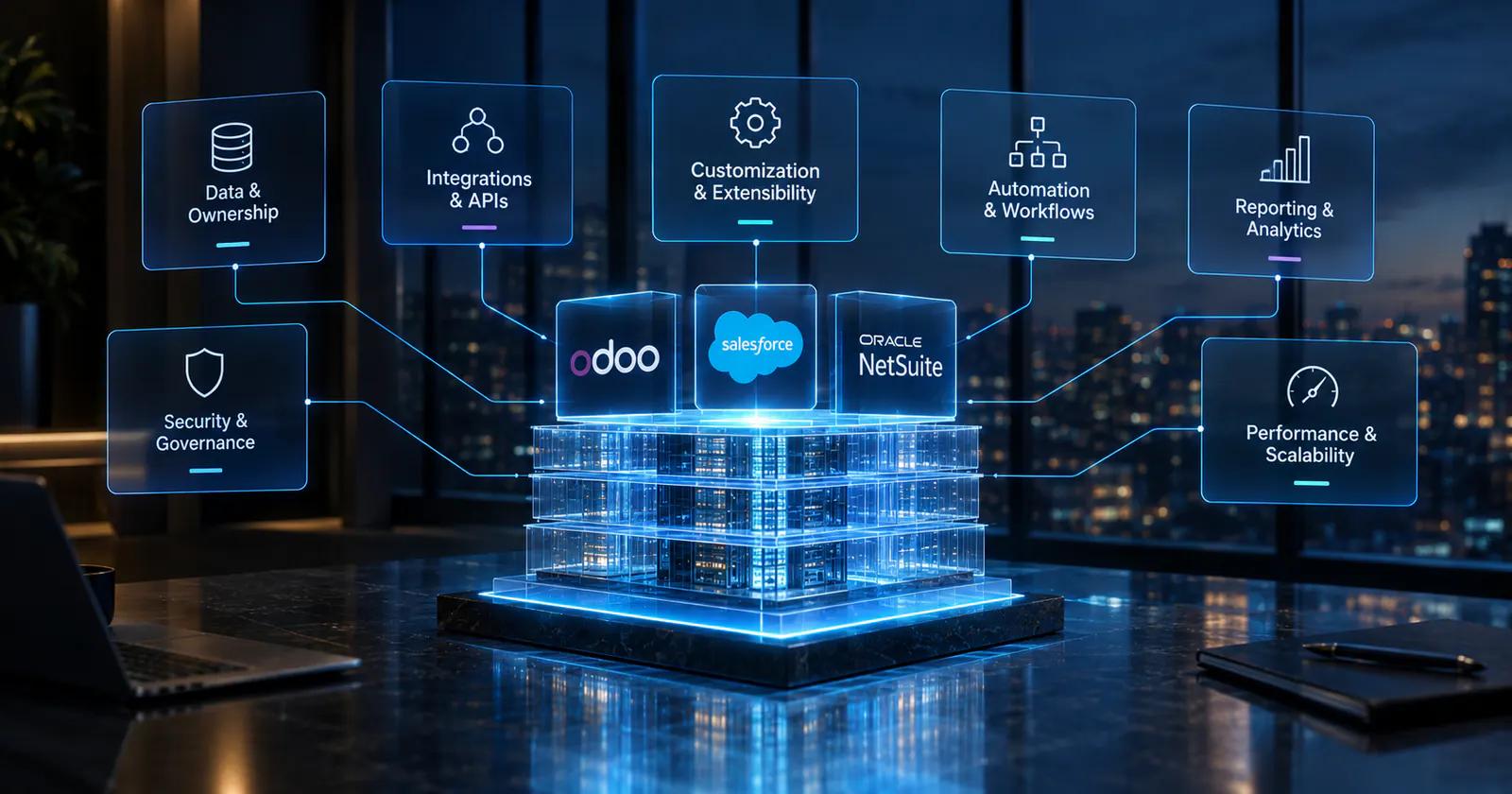
Data Models and System-of-Record Strategy
Every platform has a data model.
Your architecture has one too.
The two must align.
Where Should Customers, Products, Orders, Inventory, and Financial Data Live?
Define ownership before building integrations.
For example:
CRM owns: prospects and opportunities.
ERP owns: financial transactions and operational fulfillment.
Master-data service or governed application owns: shared product identifiers where necessary.
The exact model varies by business, but ambiguity should be avoided.
APIs and Integration Architecture
APIs are the mechanisms through which systems communicate, but an API connection alone does not constitute a robust integration architecture. A production integration must account for authentication, data transformation, validation, failures, retries, monitoring, and version changes. This becomes especially important when a CRM and ERP exchange business-critical transactions. An integration failure that silently drops an order is materially different from a reporting synchronization delay, so systems should be designed according to the consequences of failure.
A robust integration needs:
-
Authentication
-
Data mapping
-
Validation
-
Retry logic
-
Error handling
-
Monitoring
-
Logging
-
Rate management
-
Version management
REST APIs, Webhooks, Middleware, ETL, and Event-Driven Integration Patterns
Different integration patterns serve different needs.
REST APIs work well for request/response interactions.
Webhooks can notify another system when an event occurs.
ETL pipelines are useful for moving and transforming larger datasets.
Middleware can centralize transformation and orchestration.
Event-driven architectures can reduce direct dependencies between applications when the business case supports them.
The right pattern depends on transaction volume, latency requirements, reliability requirements, and system capabilities.
Customization vs. Extensibility
Customization changes the platform to fit the business.
Extensibility provides controlled ways to extend the platform without unnecessarily modifying its core behavior.
The distinction matters because customizations become part of the system's lifecycle.
Odoo Modules, Salesforce Metadata and APIs, and NetSuite SuiteCloud Capabilities
When evaluating development options, ask:
-
What can be configured?
-
What can be extended?
-
What requires custom code?
-
Where does custom code execute?
-
How is it tested?
-
How is it deployed?
-
How does it affect upgrades?
These questions are more useful than simply asking whether a vendor supports customization.
Workflow Automation and Business Logic
Automation can reduce manual effort, but every automated rule introduces logic that someone must understand and maintain. A mature architecture therefore makes automated processes observable. Users and administrators should be able to determine what triggered an action, what rules were applied, whether the action succeeded, and what happens when a downstream system is unavailable. This becomes particularly important when automation affects orders, financial transactions, inventory, customer communication, or other business-critical processes.
Comparing Rules, Workflows, Scheduled Jobs, Triggers, and Process Automation
A business process may involve:
Event → Validation → Business rule → Action → Integration → Confirmation
For example, an approved order could trigger fulfillment activity and downstream financial processing.
The architecture should make it possible to determine what happened if the automation fails.
Reporting and Analytics Architecture
Operational systems and analytical systems have different jobs. An ERP or CRM may be excellent at showing the current state of a transaction, while management reporting may require years of historical data across several applications. As the stack becomes more complex, organizations should decide whether reporting belongs inside operational applications or whether a separate analytical layer is appropriate. This decision affects data pipelines, governance, reporting latency, and the consistency of management metrics.
Operational Reporting vs. Cross-System Analytics and a Centralized Data Layer
Operational reports answer:
What is happening right now?
Analytical reporting asks:
What patterns should management understand?
When multiple systems exist, analytical requirements may eventually justify a separate data warehouse or analytics layer.
That prevents operational applications from becoming responsible for every historical and cross-system analytical workload.
Identity, Access, and Governance
Security is not something to add after implementation. ERP and CRM systems contain financial records, customer information, employee information, operational data, and commercially sensitive information. Access should therefore be designed around business responsibilities. Governance also needs to address administrative privileges, auditability, segregation of duties, authentication, and the ability to review who changed what. These controls become increasingly important as more applications and integrations are added.
Important concepts include:
-
Role-based access
-
Least privilege
-
Segregation of duties
-
Audit trails
-
Authentication
-
Administrative controls
-
Data access boundaries
Roles, Permissions, Segregation of Duties, Auditability, and Enterprise Controls
A finance user should not automatically have the same access as a sales representative.
Likewise, someone who can create a vendor should not necessarily be able to approve vendor payments.
The exact control model depends on the organization and regulatory environment.
Performance and Scalability
Scalability is more than supporting more users.
Growth can mean:
-
More transactions
-
More records
-
More integrations
-
More business units
-
More workflows
-
More reports
-
More concurrent users
What Changes When Users, Transactions, Business Units, and Integrations Multiply?
A system that performs well with one business unit may require different architecture when the company adds several.
This is why scalability testing should reflect the expected future operating model rather than today's workload alone.
10. Implementation Reality: What Will It Take to Move From Selection to Go-Live?
Selecting a platform creates the technology direction; implementation turns that direction into an operating system for the business. This stage is where data quality, process design, user adoption, integrations, security, customization, and governance come together. A strong implementation does not simply reproduce the existing environment inside new software. It determines which processes should remain, which should change, which should be automated, and which legacy dependencies should be eliminated.
Odoo ERP Implementation
A structured implementation should move through:
-
Discovery
-
Process mapping
-
Solution design
-
Configuration
-
Development
-
Data migration
-
Integration
-
Testing
-
Training
-
Deployment
-
Stabilization
Discovery, Configuration, Customization, Migration, Testing, Training, and Deployment
Skipping discovery often creates problems later.
If the implementation team does not understand how the business actually operates, configuration decisions may simply reproduce existing inefficiencies inside the new system.
NetSuite ERP Implementation
NetSuite implementation requires the same discipline around process and data. ERP projects frequently expose inconsistencies that existed for years but were hidden by spreadsheets and departmental workarounds. Implementation is therefore an opportunity to establish common definitions, standardized workflows, clear ownership, and controlled exceptions. The more complex the organization, the more important it becomes to agree on the target operating model before configuration begins.
Process Standardization, Configuration, Data Migration, Integrations, and Rollout
One of the most important questions is:
Which existing processes should be preserved, and which should be redesigned?
A new ERP is an opportunity to remove unnecessary process variation.
Salesforce Implementation
CRM implementation has its own architectural requirements because the system becomes closely tied to how sales and customer-facing teams work. Poorly defined objects, stages, ownership rules, and automation can quickly create reporting problems. The implementation should therefore begin with the customer lifecycle and revenue process, then connect those processes to ERP, billing, service, marketing, and analytics where required.
CRM Data Model, Automation, Integrations, Testing, Adoption, and Release Management
The implementation should establish clear definitions for:
-
Lead
-
Account
-
Contact
-
Opportunity
-
Product
-
Quote
-
Customer
-
Service case
Definitions that remain ambiguous will eventually produce reporting problems.
Odoo ERP Migration: What Should You Migrate and What Should You Rebuild?
Migration is an opportunity to simplify rather than reproduce the past. Legacy applications often contain years of accumulated fields, duplicate records, obsolete workflows, and custom logic that nobody actively uses. Moving all of it into a new ERP can increase complexity without increasing business value. The migration plan should distinguish information required for operational continuity from information retained only for historical reference.
Master Data, Historical Transactions, Customizations, and Legacy Integrations
Do not automatically migrate every historical record.
Evaluate:
-
Business value
-
Legal requirements
-
Reporting requirements
-
Data quality
-
Storage implications
-
Future usability
The Hidden Technical Debt Behind Heavy Customization
Customization can solve real business problems, but unmanaged customization becomes part of the organization's technical debt. Every custom field, module, workflow, integration, and automation creates something that must be tested and maintained. The right objective is therefore not zero customization. It is intentional customization supported by documentation, ownership, testing, and a clear reason for existence.
When Custom Code Becomes a Future Upgrade and Maintenance Constraint
For every customization, document:
-
Why it exists
-
What process it supports
-
Who owns it
-
What systems depend on it
-
How it is tested
-
What happens when the platform changes
This turns customization from undocumented technical debt into managed architecture.
11. How Much Does the ERP/CRM Stack Really Cost?
Cost is one of the easiest areas to oversimplify. A software quote may show subscription or licensing expenses, but the actual economic commitment also includes implementation, migration, integrations, development, administration, support, training, upgrades, and internal employee time. The correct comparison is therefore the cost of running the complete architecture over the period in which the business expects to use it. That is why TCO matters more than the first-year software quote.
License Cost vs. Total Cost of Ownership
A useful TCO model includes:
Software + implementation + development + migration + integrations + administration + support + upgrades
Subscription Fees, Implementation, Development, Integrations, Support, and Upgrades
The cost model should also include internal employee time.
For example:
-
System administrators
-
IT support
-
Finance operations
-
Sales operations
-
Data specialists
-
Integration specialists
Odoo ERP Cost Considerations
Cost evaluation should account for the complete implementation model rather than focusing on licensing alone. A business should consider how much configuration is needed, whether custom development is required, which external systems need integration, who will administer the environment, and what ongoing support looks like. The same platform can have very different total costs depending on how heavily it is customized and how many external dependencies surround it.
Consider:
-
Licensing
-
Implementation
-
Custom development
-
Hosting
-
Integrations
-
Support
-
Internal administration
Licensing, Odoo ERP Development Services, Custom Modules, Hosting, and Support
The key is to compare the complete operating model rather than a single vendor quote.
NetSuite ERP Cost Considerations
The same principle applies to NetSuite. The business should model not only the software subscription but also implementation, configuration, customization, integrations, administration, support, training, and future changes. A platform can appear affordable during procurement while becoming substantially more expensive once the surrounding architecture is included. TCO analysis prevents that mismatch.
Consider:
-
Licensing
-
Implementation
-
Customization
-
Integrations
-
Administration
-
Support
-
Training
Salesforce Cost Considerations
Salesforce cost should be evaluated against the full CRM architecture rather than the CRM subscription alone. If the organization needs an ERP, middleware, specialized applications, analytics, administration, or extensive custom development alongside Salesforce, those components belong in the business case. The comparison should also reflect how many users, teams, business processes, and integrations will be supported over time.
Consider:
-
Editions
-
Add-ons
-
Implementation
-
Development
-
Integrations
-
Administration
-
Data and analytics requirements
How to Build a 3-Year or 5-Year TCO Model
A longer-term model makes architectural trade-offs easier to see because implementation costs are often front-loaded while administration, support, integrations, and licenses continue for years. The model should use the same business scope for every platform. Otherwise, one option may appear cheaper simply because required applications or services have been excluded from its calculation.
A Practical Cost Framework for Comparing ERP/CRM Architectures
The exact costs will vary by company.
The important point is that TCO should follow the architecture.
12. How Do You Choose Between ERP and CRM?
Once the technology options are understood, the decision should move back to the business. The most reliable approach is to identify the processes that matter most, determine which systems should own the underlying data, and then test the platforms against those workflows. This prevents the selection process from becoming a feature-counting exercise. It also gives executives, finance, operations, sales, and IT a common framework for discussing what the new architecture actually needs to accomplish.
The decision is also becoming more closely tied to AI readiness. IDC's 2026 research reports that 50% of organizations are already deploying AI agents in production across multiple business areas, while another 27% have agents running in at least one area. That makes the underlying data and workflow architecture increasingly relevant when selecting enterprise applications: leaders need to understand not only what a platform can automate today, but also how securely and reliably its data can support future intelligent workflows.
Start With the Business System of Record
Every critical business object should have a clear owner.
Is Your Biggest Problem Financial/Operational Complexity or Customer/Revenue Complexity?
If financial and operational processes are causing the greatest friction, prioritize ERP architecture.
If customer and revenue processes are the dominant challenge, prioritize CRM architecture.
If both are complex, evaluate an integrated platform or a deliberately designed multi-system architecture.
Map Your Critical Business Processes
Process mapping provides the bridge between business requirements and technical requirements. Instead of asking users which features they want, document how work actually moves through the organization. This makes hidden dependencies visible. It also identifies where employees re-enter information, where approvals occur, where systems exchange data, and where failures create financial or operational consequences.
Lead-to-Cash, Procure-to-Pay, Order-to-Cash, Record-to-Report, and Service-to-Retention
For each process, identify:
Trigger → User → System → Data → Decision → Output
This exposes integration requirements quickly.
Score the Technical Requirements Before Comparing Vendors
A requirements matrix can make vendor demonstrations much more useful. Instead of asking whether a product has a capability, define the business scenario that capability must support. Then evaluate how the platform handles it, what configuration is required, whether customization is necessary, and what the long-term maintenance implications are. This creates a more evidence-based selection process.
Create requirements around:
-
Integration depth
-
Customization
-
Data ownership
-
Security
-
Reporting
-
Scalability
-
Workflow automation
-
Migration
-
Administration
Do not assign arbitrary product scores before defining the business requirements.
Identify the Processes That Cannot Afford Data Fragmentation
Not all duplicated information creates the same level of risk. A duplicated marketing preference may be inconvenient, while conflicting invoice or inventory data can create operational and financial consequences. The organization should therefore identify the business objects for which inconsistent information is unacceptable and establish authoritative ownership before integration development begins.
Finance, Inventory, Customer, Product, and Order Data as Architectural Dependencies
If two systems can independently modify the same transaction, determine which one has authority.
Otherwise, integration conflicts become inevitable.
Decide Whether One Platform or a Composable Stack Makes More Sense
A single-platform strategy can reduce the number of systems that need to be integrated and governed. A composable strategy can provide specialized capabilities where they matter most. The trade-off is not simply simplicity versus complexity. It is centralized functionality versus specialized functionality, along with the integration and governance needed to make those components work together reliably.
Single-System Simplicity vs. Best-of-Breed Capability
Neither strategy is automatically superior.
The correct choice depends on:
-
Business complexity
-
Internal technical capability
-
Integration maturity
-
Budget
-
Growth plans
-
Process specialization
13. Odoo vs. Salesforce vs. NetSuite: Decision Framework by Business Scenario
Different businesses can reasonably reach different conclusions because their architecture problems are different. A manufacturing company needs to think deeply about production, inventory, procurement, and fulfillment. A sales-led organization may care more about customer lifecycle management, pipeline governance, and revenue operations. A multinational organization introduces additional concerns around entities, currencies, tax, consolidation, and intercompany transactions. The platform should therefore be tested against the business scenario rather than selected from a generic ranking.
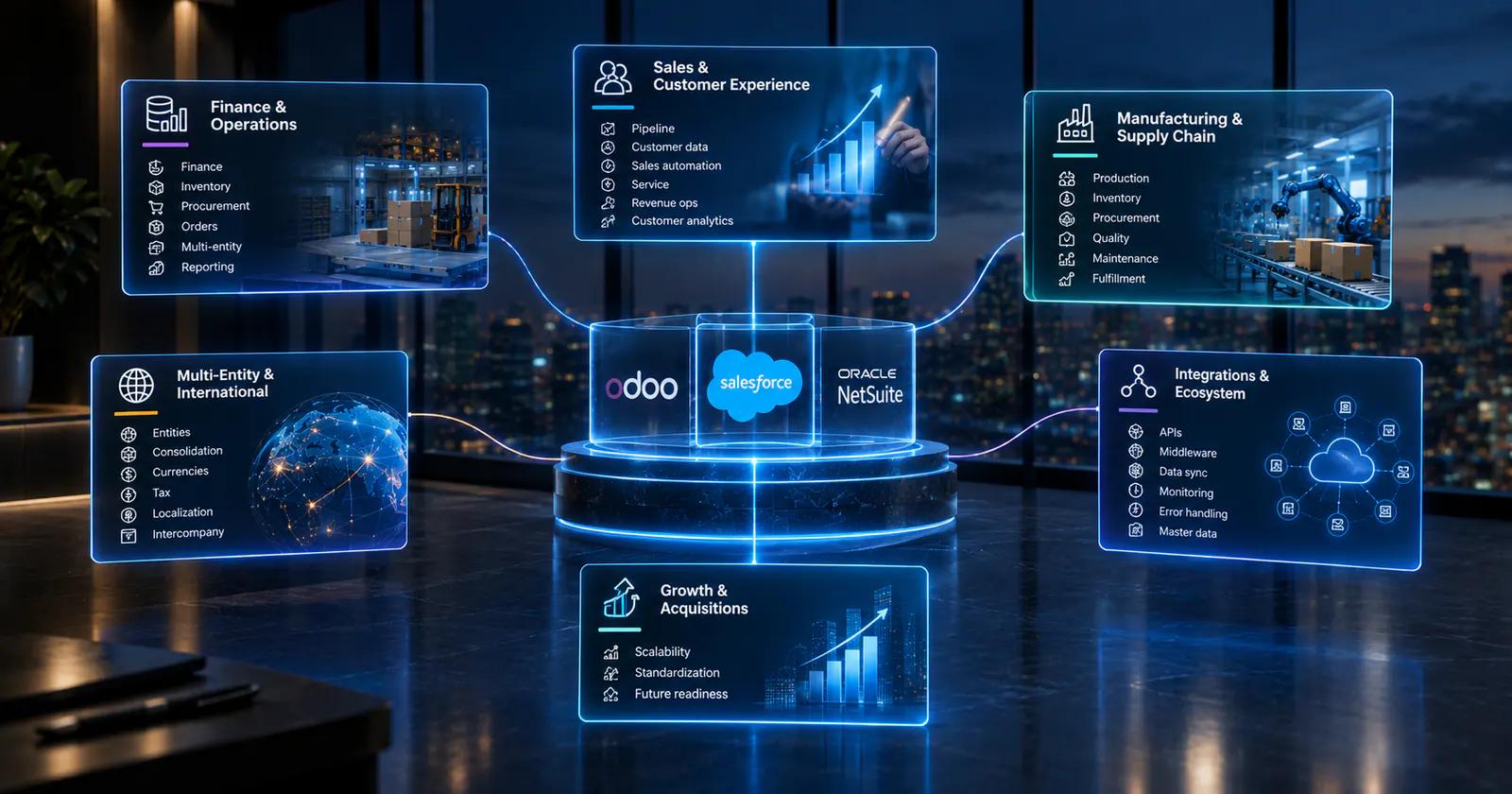
For Finance- and Operations-Heavy Enterprises
Focus on:
-
Financial controls
-
Inventory
-
Procurement
-
Order management
-
Multi-entity processes
-
Reporting
For Sales- and Customer-Experience-Led Enterprises
Focus on:
-
Pipeline
-
Customer data
-
Sales automation
-
Service
-
Revenue operations
-
Customer analytics
For Manufacturing and Supply-Chain Businesses
Manufacturing adds another level of process dependency because production, inventory, procurement, quality, maintenance, and sales are interconnected. The ERP needs to provide a reliable representation of materials, orders, production requirements, and fulfillment. CRM remains relevant, but the technology decision cannot be made from customer-facing processes alone.
Evaluate:
-
Manufacturing workflows
-
Bills of materials
-
Procurement
-
Inventory
-
Production
-
Warehousing
-
Fulfillment
Why Inventory, MRP, Procurement, and Production Workflows Change the Decision
A manufacturing business cannot evaluate ERP software solely through CRM functionality.
Its operational model is fundamentally different from that of a company whose primary complexity is managing a sales pipeline.
For Multi-Entity and International Businesses
International growth introduces requirements that may not be visible in a single-entity implementation. The architecture may need to support different currencies, tax rules, legal entities, reporting structures, local processes, and intercompany transactions. These requirements should be tested early because they can influence the underlying data model and operating model rather than simply adding another configuration option.
Evaluate:
-
Legal entities
-
Consolidation
-
Currencies
-
Tax
-
Localization
-
Intercompany transactions
Consolidation, Multi-Currency, Tax, Localization, and Intercompany Operations
The more entities and jurisdictions involved, the more important centralized governance becomes.
For Businesses With Complex Integration Requirements
Complex integration environments require a different evaluation method. It is not enough to confirm that APIs exist. The business should understand how systems exchange data, how errors are detected, how transactions are retried, how authentication is managed, and who owns each integration. A technically strong custom integration architecture can prevent the application landscape from becoming increasingly fragile as the company adds more tools.
Evaluate:
-
API capabilities
-
Middleware
-
Data synchronization
-
Monitoring
-
Error handling
-
Master-data ownership
For Businesses Planning Rapid Growth or Acquisitions
Future growth should be part of the platform evaluation because acquisitions and expansion can expose weaknesses in data models, identity management, reporting, and process standardization. A system that works well for one business unit may require a different governance model when several entities operate together. The goal is not to predict every future requirement but to identify whether the architecture can absorb foreseeable changes without repeated system replacement.
How to Evaluate Scalability, Standardization, and Future System Consolidation
Ask what happens when the company:
-
Doubles its transaction volume
-
Adds another legal entity
-
Acquires a business
-
Adds new products
-
Enters another market
-
Adds another sales channel
A good architecture should have an answer before those events occur.
14. FAQ: Odoo, Salesforce, and NetSuite
Is Odoo ERP?
Yes. Odoo is an ERP-oriented business application platform with modules covering areas such as accounting, inventory, sales, CRM, manufacturing, purchasing, and other business processes.
The relevant question for an enterprise is not simply whether it qualifies as an ERP, but whether its capabilities and architecture fit the company's requirements.
What Is Odoo ERP?
Odoo ERP is a modular business management environment designed to connect multiple operational processes within one platform.
Its modular approach can reduce application fragmentation, although customization and integration requirements still need to be governed carefully.
What Is NetSuite ERP?
NetSuite is a cloud ERP platform centered on financial and operational business management.
Its architecture is particularly relevant when financial management, business operations, and enterprise processes need to be managed through a connected ERP environment.
Is NetSuite an ERP?
Yes. NetSuite is an ERP platform.
The more important evaluation is how its ERP capabilities align with the organization's financial, operational, integration, and CRM requirements.
Is Odoo Good for Small Businesses?
It can be appropriate for smaller organizations, but suitability depends on the business process requirements.
A small company with complex manufacturing or inventory requirements may have different needs from a larger company with simple operations.
Is Salesforce Good for Small Businesses?
Salesforce can support businesses of different sizes, but the relevant question is whether its CRM capabilities match the company's sales, service, automation, administration, and integration requirements.
Is NetSuite Good for Small Businesses?
NetSuite may fit smaller organizations with meaningful ERP complexity, but implementation requirements should be considered alongside business size.
Company size alone is not a sufficient platform-selection criterion.
Why Should a Business Use Salesforce?
Businesses typically evaluate Salesforce when customer-facing processes, sales operations, service, and CRM automation are central to their technology strategy.
Why Should a Business Use NetSuite?
Businesses typically evaluate NetSuite when financial and operational ERP requirements are central to the architecture.
What Are the Benefits of NetSuite?
Potential benefits depend on implementation and business requirements, but the ERP-oriented architecture can support connected financial and operational processes.
The evaluation should focus on whether those capabilities solve the company's specific process problems.
Odoo vs. Salesforce: Which Is Better for a Growing Business?
There is no universal answer.
Compare the platforms based on:
-
ERP requirements
-
CRM depth
-
Manufacturing and inventory
-
Financial processes
-
Integration requirements
-
Customization
-
TCO
-
Internal IT capabilities
The deciding factor should be the architecture the business actually needs.
NetSuite vs. Salesforce: Which Is Better for a Growing Business?
Start by identifying whether the primary system-of-record requirement is ERP-led or CRM-led.
Then evaluate integration, customization, reporting, security, TCO, and scalability.
Odoo vs. NetSuite: Which Is Better for a Growing Business?
Both should be evaluated as ERP-oriented options, but the right fit depends on the organization's financial, operational, manufacturing, inventory, integration, customization, and growth requirements.
15. The Bottom Line: Build the Stack Around Your Business Architecture
The final decision should not come down to a generic claim that one platform is universally better. By this point, the organization should understand the difference between an ERP-led, CRM-led, and integrated architecture and should have identified the processes that matter most. The final step is to convert those findings into an implementation-ready decision: what needs to be native, what can be integrated, what should be customized, and what technical capabilities the organization must be prepared to operate.
The Questions to Answer Before Signing an ERP or CRM Contract
Ask:
-
What is our primary system of record?
-
Which processes create the most operational friction?
-
Which data must be centralized?
-
Which data can safely remain in specialist systems?
-
What requires configuration?
-
What requires custom development?
-
Which integrations are business-critical?
-
How will integration failures be detected?
-
What is our three- to five-year TCO?
-
What happens when the company doubles in complexity?
What Must Be Native, What Can Be Integrated, and What Should Never Be Customized?
A practical rule is:
Native where the capability is strategically important and mature.
Integrated where another system genuinely performs the function better.
Customized only when the requirement is important enough to justify long-term ownership.
A Practical Architecture Checklist for Growth-Stage Enterprises
The checklist should become the bridge between research and an actual vendor evaluation. Instead of relying on product demonstrations, document the business requirements and test each platform against the same scenarios. This creates a repeatable decision process and makes it easier for finance, operations, sales, IT, and leadership to agree on what the system must accomplish.
Before selecting a platform, document:
-
Business processes
-
System-of-record ownership
-
Data model
-
Integration map
-
Security model
-
Reporting requirements
-
Customization requirements
-
Migration scope
-
TCO
-
Scalability requirements
-
Internal technical capabilities
Data Ownership, Integration, Customization, Security, TCO, and Scalability
If these areas are clearly defined, product comparisons become significantly easier.
Without them, even an impressive software demonstration can hide important architectural risks.
When to Bring in an Odoo ERP Development or Integration Partner
External technical expertise becomes useful when the project involves more than straightforward configuration. Complex migrations, legacy integrations, custom modules, unusual workflows, multi-system data synchronization, and advanced automation all introduce technical decisions that can affect the system for years. The purpose of bringing in a development or integration partner should be to reduce architectural risk and create maintainable solutions—not simply to increase the amount of custom code.
Consider additional technical support when:
-
Multiple systems must share transactional data
-
Existing custom software must be retained
-
Migration involves poor-quality legacy data
-
Business processes require non-standard workflows
-
Reporting depends on multiple data sources
-
The organization lacks internal ERP development expertise
The Technical Signals That Your Implementation Needs More Than Standard Configuration
The goal should not be to customize the platform as much as possible.
The goal is to create an architecture that the business can understand, operate, integrate, secure, and evolve.
That is ultimately what separates a software implementation from a scalable enterprise technology foundation.

Written by
Pratik Kantesiya
AI Engineering Lead
Pratik leads AI engineering at Agile Infoways, where he architects production AI systems for enterprises across healthcare, BFSI, and logistics. He writes about practical AI delivery — what works, what does not, and what most teams miss between proof-of-concept and production.