Quick Summary: What if the cheapest Odoo quote ends up the most expensive? This CFO guide shows the cost lines first quotes leave out, how to read an Odoo migration timeline, and the go-live checks that protect your month-end close.
An ERP migration can look affordable on a proposal and turn expensive once data cleanup, integrations, testing, and business disruption show up. More than 70% of finance organizations are planning one, yet many leaders later regret how they selected and sequenced it, according to Gartner. If Odoo is your next move, choosing the right Odoo implementation partner will shape your budget more than the software will.
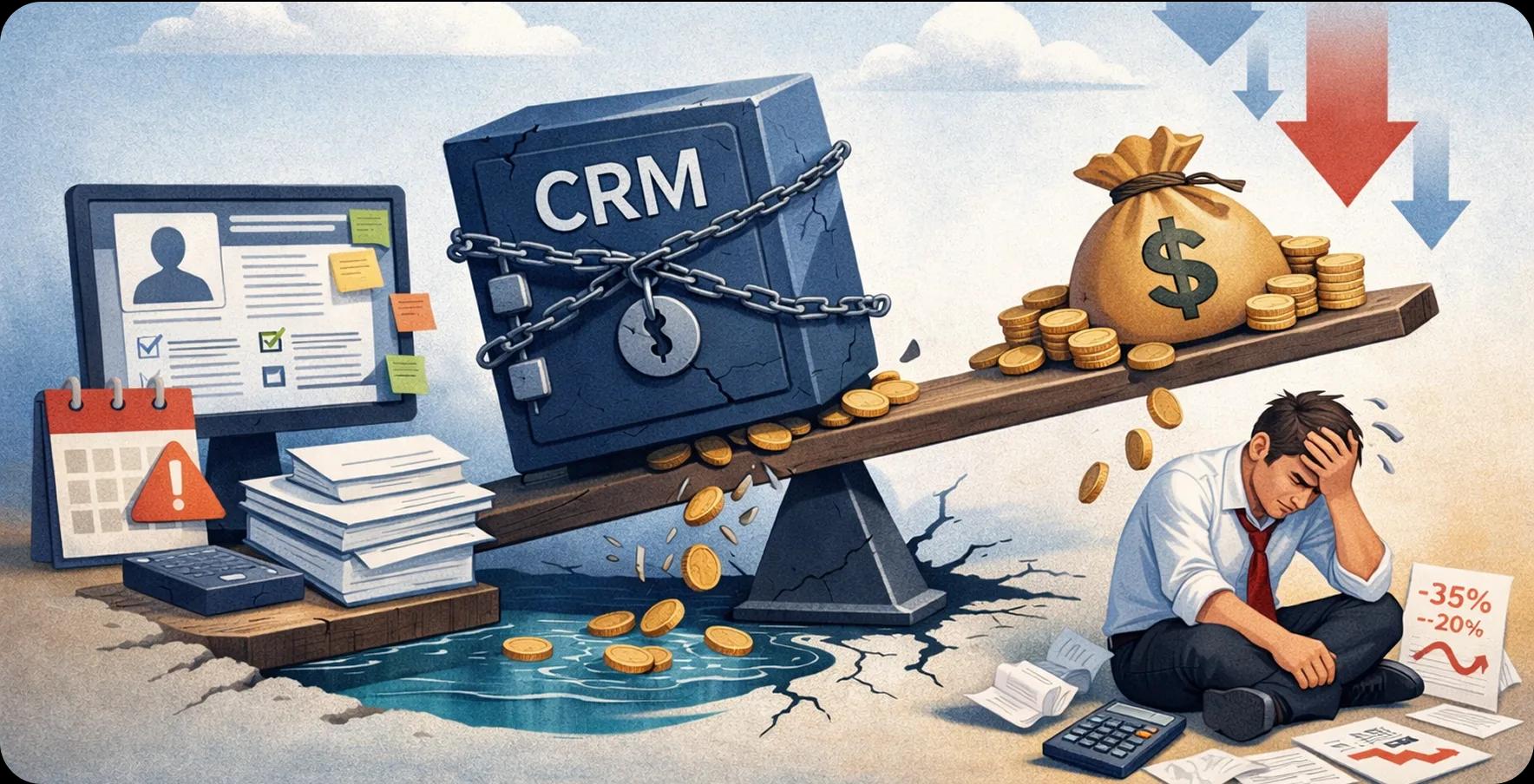
McKinsey and Oxford's study of more than 5,400 large IT projects found an average 45% budget overrun, a 7% schedule overrun, and 56% less value than promised. Those figures are not Odoo-specific, but they describe the risk every CFO signs for.
For CFOs, the real question is not simply how much the software costs, but how much the business must invest to achieve reliable operations and measurable returns. Odoo ERP development services and ERP implementation services can support this transition, but the financial outcome depends on how well the project is scoped, planned, and governed.
This guide explains how to size the cost, test the timeline, find the lines a first quote leaves out, and approve go-live with confidence. Read it before you sign anything. Each section answers one question that most CFOs think to ask too late.
1. Why Does Odoo ERP Migration Need a CFO's Attention?
An ERP system connects business functions that often operate in separate tools: finance, purchasing, inventory, sales, manufacturing, and reporting. Migrating to Odoo can consolidate these workflows, but the investment affects more than the IT budget.
The CFO must understand three things before approving the project:
- The total investment: software subscriptions, implementation, data migration, integrations, customization, training, and ongoing support.
- The operational impact: employee time, temporary productivity loss, reporting changes, and potential disruption during cutover.
- The expected return: reduced manual work, better inventory control, faster financial close, and more reliable management reporting.
How Should a CFO Define Migration Success?
Start by documenting the current cost of running business processes. For example, calculate the monthly hours spent reconciling accounts, correcting duplicate records, preparing management reports, and transferring data between systems.
Then establish a measurable target for each process. If the business spends 200 staff hours per month consolidating reports, determine how much of that work Odoo could reasonably eliminate after implementation and adoption.
Do not treat projected savings as guaranteed returns. Assign an owner to each target, record the baseline, and measure results after go-live.
A useful business case should answer four questions:
- What does the current system cost us annually?
- What will migration and ongoing operation cost?
- Which measurable improvements should the new system deliver?
- When should those benefits begin to exceed the investment?
The answers give finance a basis for comparing proposals and controlling scope as the project progresses.
2. How Much Does an Odoo Implementation Cost?
There is no single reliable price for an Odoo migration. A business moving a clean set of financial records into standard Odoo applications has a very different project from a manufacturer migrating years of transaction history, custom workflows, and connections to warehouse or production systems.
The right estimate begins with scope, not a software price alone.
What Costs Should the Migration Budget Include?
The table should become the basis of a costed project plan. Ask each implementation provider to identify what is included, what is excluded, who owns each task, and how additional work will be priced.
How Can Industry Benchmarks Help Estimate Costs?
Panorama's 2025 ERP Report reported a median ERP project cost of approximately $450,000 and a median timeline of nine months among its surveyed organizations, as summarized in industry coverage of the report. These figures are broad ERP benchmarks, not an Odoo price guide or a forecast for a small or midsize business.
Use them to understand the scale and duration that complex ERP projects can reach—not to set an Odoo budget by applying a percentage to the benchmark.
For a defensible estimate, ask your implementation partner to provide:
- A module-by-module scope and delivery estimate.
- An inventory of legacy data sources and required migration history.
- A list of interfaces, reports, and custom workflows.
- The number of test cycles and the acceptance criteria for each.
- A contingency reserve tied to identified risks.
- A clear distinction between one-time costs and recurring operating costs.
How Do You Calculate the Total Cost of Ownership?
Total cost of ownership (TCO) is the cost of implementing and operating the system over a defined period, not just the amount paid to the implementation partner.
A practical three-year model is:
Three-year TCO = implementation + migration + integrations + internal project effort + training + three years of subscriptions, hosting, support, and maintenance.
Include internal effort even when employees are salaried. Their project time has an opportunity cost: finance staff working on data validation cannot spend those same hours on month-end close or analysis.
Also separate mandatory launch costs from optional enhancements. This makes it easier to approve a viable first release without losing sight of later improvements.
3. How Long Does an Odoo ERP Migration Take?
The timeline depends on the number of applications, business locations, data sources, integrations, custom modules, and decisions that must be completed before launch.
A simple implementation with standard workflows and clean data may take substantially less time than a multi-entity project with complex financial reporting and manufacturing operations. Any estimate that lacks these assumptions should be treated as preliminary.
How Should You Structure the Migration Timeline?
The following is an illustrative planning framework, not a promised Odoo delivery schedule.
These ranges illustrate how a project might be organized; they should not be added mechanically to produce a guaranteed total. Some phases can run in parallel, while unresolved dependencies can delay several phases at once.
For example, testing may start before every integration is finished, but final acceptance cannot be completed until the critical workflows work together.
What Causes an ERP Migration to Run Late?
Three factors deserve particular attention.
Unclear requirements: Teams discover during testing that the new system does not reproduce an important approval, pricing, or reporting process.
Poor data quality: Duplicate customers, inconsistent product codes, incomplete account mappings, and invalid historical records require additional cleanup and test loads.
Slow decisions: Finance, operations, and IT disagree about how a workflow should operate, leaving developers unable to finalize the configuration.
To prevent these delays, appoint business owners for each major workflow, establish decision deadlines, and maintain a dependency register. A decision register should show the issue, its owner, the required decision date, and the cost or timeline impact if it remains unresolved.
4. What Hidden Costs Can Data Cleanup, Customization, and Integrations Create?
The most dangerous budget gaps often appear in work that seems minor during initial planning. A data field needs a different format. A custom report does not match the old system. A third-party application cannot exchange information as expected.
Each issue may be manageable in isolation. Together, they can consume the project's contingency and delay go-live.
How Does Data Cleanup Affect Migration Costs?
Legacy data is rarely ready to move without preparation. Customer records may be duplicated, product units may differ between systems, and old transactions may contain missing references.
A robust migration process follows four steps:
- Profile the data: Identify duplicates, missing values, inconsistent formats, and invalid references.
- Define mapping rules: Decide how each legacy field and record type will correspond to the target Odoo model.
- Run test migrations: Load representative data into a non-production environment and identify conversion failures.
- Reconcile the results: Compare source and target records, balances, totals, and key relationships.
For finance, reconciliation means more than checking whether the records imported successfully. General ledger balances, open receivables, payables, tax totals, and inventory valuation must agree with approved source figures at the agreed cutover point.
Do not assume that every historical transaction must be migrated into the live system. Decide which records need to remain operational, which can be retained in a read-only archive, and which can be summarized. That decision can materially change migration effort and reporting design.
How Much Customization Is Really Necessary?
Customization is justified when standard Odoo functionality cannot support an important business requirement at an acceptable cost or with an acceptable process change.
Before approving a custom module, ask:
- Can the workflow be handled through standard configuration?
- Can the process be simplified without weakening a necessary control?
- Is the requirement legally, operationally, or commercially essential?
- What will the customization cost to test, maintain, and adapt during future upgrades?
Odoo's official documentation for upgrading customized databases recommends reviewing custom developments, checking compatibility, testing modules, and rehearsing the upgrade. Although a version upgrade is different from migrating from another ERP, the same principle applies: custom code creates testing and maintenance obligations that should be visible in the business case.
How Should You Budget for Integrations?
An integration is not complete merely because two systems can exchange data. It must handle real business conditions, including failed transactions, duplicate messages, API changes, authentication expiry, and retries.
For example, an e-commerce order may reach Odoo while the inventory update fails. If the integration does not handle the failure correctly, the order may be processed with inaccurate stock information.
For each interface, document:
- The systems and data involved.
- The direction and frequency of data exchange.
- The API, middleware, or file-transfer method.
- Error handling, retries, and reconciliation rules.
- Security, access permissions, and monitoring.
- Ownership of ongoing support.
This creates a more realistic cost estimate and reduces the risk of discovering critical dependencies shortly before launch.
5. How Does Odoo Compare With SAP and NetSuite on Total Cost?
Choosing an ERP is not simply a comparison of license prices. The more useful question is how much each platform will cost to operate while meeting the business's requirements over the next several years.
Odoo, SAP, and NetSuite serve different organizational needs, and the best fit depends on process complexity, geographic reach, industry requirements, existing technology, and the degree of standardization the business can accept.
How Should CFOs Make the Comparison?
Build a weighted scorecard based on business requirements rather than a generic platform ranking. Assign greater weight to factors that affect financial control, compliance, operational continuity, and strategic growth.
Then request comparable proposals. Each vendor should price the same scope, identify exclusions, and explain the implementation assumptions behind its timeline.
A lower initial price may be attractive, but it is not necessarily the lower-cost choice if it requires extensive custom development, extra software, or costly manual workarounds.
Likewise, a more feature-rich platform may create unnecessary expense if the business does not need its advanced capabilities.
The objective is not to choose the cheapest ERP. It is to select a system that meets current requirements, supports future priorities, and offers an acceptable total cost of ownership.
6. How Can You Reduce Migration Risks From Data Mapping, APIs, and Downtime?
A migration risk register turns potential problems into decisions that can be assigned, tracked, and addressed before they affect the business.
How Do You Plan a Safe Cutover?
Cutover is the controlled transition from the old system to the new one. It requires more than a deployment date on the project calendar.
A practical plan should define:
- When the source system stops accepting changes, where applicable.
- How the final data extraction and load will be performed.
- Who validates financial balances and critical operational records.
- How integrations, user permissions, and scheduled jobs are activated.
- What conditions must be met before the business resumes normal operations.
- Who has authority to pause the launch or invoke the rollback plan.
A rollback plan must be technically feasible and operationally understood. Restoring a backup alone may not be sufficient if transactions have already been processed in connected systems. The team must know how to account for those transactions and prevent duplicate or lost records during recovery.
How Should You Test Before Go-Live?
Use user acceptance testing (UAT) to confirm that real business processes work as intended. Rather than testing isolated screens, test complete scenarios from beginning to end.
Examples include:
- Customer order to invoice to payment reconciliation.
- Purchase order to goods receipt to supplier bill.
- Stock movement to inventory valuation and accounting entries.
- Credit note creation and financial reporting.
- Month-end close and management report generation.
Record the expected result, actual result, evidence, defect severity, and business owner's approval for each scenario. Critical financial and operational defects should be resolved before go-live, not simply added to a post-launch backlog.
7. How Can You Build a Realistic ERP Migration Budget?
A realistic budget connects project scope to measurable deliverables and makes uncertainty visible.
How Should You Structure the Budget?
Organize costs into four groups:
1. One-time implementation costs: Discovery, configuration, customization, data migration, integrations, testing, and deployment.
2. Internal business costs: Staff time, backfill, training, process redesign, and temporary productivity loss.
3. Recurring operating costs: Subscriptions, hosting, support, maintenance, monitoring, and future upgrades.
4. Contingency: A reserve tied to specific risks, such as uncertain data quality, unverified integrations, or unresolved requirements.
Avoid using contingency to conceal known work. If a necessary integration has not been estimated, it is a scope gap—not an unexpected risk.
How Can Finance Control Budget Overruns?
Set stage gates where spending and progress must be reviewed before the project moves forward.
At every gate, compare actual spending and committed costs against the forecast to complete. A project can appear within budget while future commitments are growing, so reviewing invoices alone is insufficient.
Use a change-control process for new requirements. Each change should document the business rationale, cost, schedule effect, operational risk, and approving owner.
8. What Should the Odoo Go-Live Checklist Include?
A go-live decision should be based on evidence that the business can operate—not simply on whether the software has been installed.
How Do You Confirm Migration Readiness?
Use this checklist as a starting point:
- Data: Required records have been loaded, validated, and reconciled.
- Finance: General ledger balances, open items, tax settings, and financial reports have been checked.
- Workflows: Critical sales, purchasing, inventory, and accounting scenarios have passed UAT.
- Integrations: Interfaces have passed normal, exception, and recovery tests.
- Security: User roles, permissions, and approval controls have been reviewed.
- Performance: Critical operations work under expected transaction volumes.
- Training: Users understand their roles, core workflows, and escalation paths.
- Cutover: The sequence, owners, timing, and communication plan have been rehearsed.
- Recovery: Backups, restoration steps, rollback criteria, and decision authority are documented.
- Support: The team has monitoring, issue triage, and post-launch support arrangements.
How Should You Manage the First Weeks After Launch?
Plan a defined stabilization period with daily reviews of critical defects, failed integrations, data discrepancies, and user-reported issues.
Give every issue an owner and severity level. Track business impact, not just ticket counts. A minor display issue and an incorrect financial posting should not receive the same priority.
Finance should also perform an early close-readiness review. Confirm that reconciliations, reporting, approvals, and audit evidence remain reliable before treating the project as complete.
9. How Do You Measure ERP Migration ROI After Go-Live?
A successful migration should produce measurable business value, but the benefits need to be tracked against the baseline established before implementation.
Which Metrics Should CFOs Track?
For each metric, define the baseline, target, data source, measurement frequency, and accountable owner. Review results at regular intervals after launch, because adoption and process improvements often take time.
How Should You Calculate ROI?
A simple ROI model is:
ROI = (Measured financial benefits − total investment) ÷ total investment × 100
For instance, if a business invests $200,000 and later verifies $260,000 in financial benefits over a defined measurement period, its net benefit is $60,000 and its ROI is 30%.
That example is illustrative, not a prediction of Odoo's returns. Benefits should be counted only when they can be substantiated. Released employee capacity, for example, is not automatically a cash saving unless the business converts it into lower costs or productive additional output.
Also distinguish ROI from payback period and cash flow. A project may generate positive long-term returns but still create short-term cash pressure. CFOs should assess all three when evaluating the business case.
10. How Should You Prepare Your ERP Investment for 2027?
The right migration plan should support the business the organization intends to become in 2027—not simply replace the software it uses today.
Start by identifying the operational outcomes that matter most over the next 12–18 months. These may include faster financial reporting, better working-capital visibility, more accurate inventory, improved forecasting, or expansion into new markets.
Translate each outcome into a target, an accountable owner, and a measurement method. Then prioritize the Odoo capabilities and integrations required to achieve it.
For example, if the goal is to improve inventory visibility, the project must address product master data, warehouse processes, stock movements, and the systems that exchange inventory information. Installing an inventory application without fixing these dependencies will not deliver reliable visibility.
How Can You Make the Investment Ready for 2027?
Use a practical three-part plan:
Before migration: Establish financial baselines, approve the scope, assess data quality, and prioritize essential integrations.
During migration: Control changes, test end-to-end workflows, reconcile records, and track the budget against expected benefits.
After go-live: Monitor adoption, measure operational results, address performance gaps, and prioritize enhancements based on verified business value.
Avoid over-customizing the first release for hypothetical future needs. Instead, build a stable foundation, document integration dependencies, and maintain a roadmap for features that support clear business objectives.
How Can You Turn Odoo Migration Into a Measurable Business Investment?
The most important migration decision is not when to go live. It is what the business must be able to do, at what cost, and with what measurable improvement after the transition.
Before approving the project, ask your team to produce a fully costed scope, a dependency-based timeline, a data reconciliation plan, and a set of financial and operational targets. Require every major risk to have an owner and every expected benefit to have a measurement method.
As you plan for 2027, use migration as an opportunity to reduce manual work, strengthen reporting, improve process visibility, and establish a more dependable foundation for growth. Review the investment against actual results—not the original sales promise.
Start by assessing your current systems, data, integrations, and business goals. The sooner you identify the true cost of reaching a usable ERP, the better positioned you will be to protect your budget and make the migration deliver lasting value.

Written by
Pratik Kantesiya
AI Engineering Lead
Pratik leads AI engineering at Agile Infoways, where he architects production AI systems for enterprises across healthcare, BFSI, and logistics. He writes about practical AI delivery — what works, what does not, and what most teams miss between proof-of-concept and production.