Quick summary: Smart companies are ditching dashboard-driven workflows and hiring Salesforce developers and AI ML developers to build AI systems that analyze, predict, and act in real time. This blog breaks down how Salesforce + AI becomes a true decision engine that gives business leaders faster insights, tighter forecasts, and smarter execution across the entire revenue cycle.
Old-school CRMs are starting to look like vintage tech, fine for record-keeping, but dead weight when it comes to making decisions faster than the competition. In fact, 61% of small to large enterprises plan to "plug AI into their CRM" within the next three years. Meanwhile, a recent McKinsey survey found that only 23% of organizations are scaling what they call "agentic AI systems", those that act, not just assist.
That gap spells trouble for companies still treating Salesforce development services in USA, or any CRM, as a digital filing cabinet. The real winners are pairing Salesforce® with intelligent automation so they can stop asking "what happened?" and start asking "what should we do next?" This isn't about dashboards anymore; it's about decision engines, systems that spot patterns, prioritize leads, forecast revenue, and kick off actions without waiting for a human click.
If you're leading operations, sales, or revenue growth, this matters. The question you should be asking is: Why stay glued to the interface when the interface could be working for you? Because smart companies are already hiring Salesforce developers to build true AI-driven decision engines, and those who don't are at risk of being left behind.
Salesforce - From CRM to Intelligent Hub
For years, Salesforce sat at the center of enterprise operations as a system of record. A place where reps logged activity, managers pulled reports, and executives tracked pipeline health. It got the job done, but let's be honest: a CRM built on manual inputs is only as good as the people typing into it. And in a world where markets shift fast and customer expectations change overnight, waiting on human-driven updates is like running a race with a parachute strapped to your back.
That's why a leading Salesforce development company in USA is shifting from a data-storage platform to an intelligence hub powered by AI, predictive models, and automated decision pathways. With the rise of Einstein GPT, Salesforce now analyzes patterns inside the CRM, scores opportunities, forecasts revenue swings, predicts churn, and even triggers follow-up tasks, without a manager nudging the process along. Gartner reports that 40% of enterprise CRM activities will be automated or AI-augmented by 2026, which explains why the companies hitting revenue targets consistently are the ones leaning into this shift.
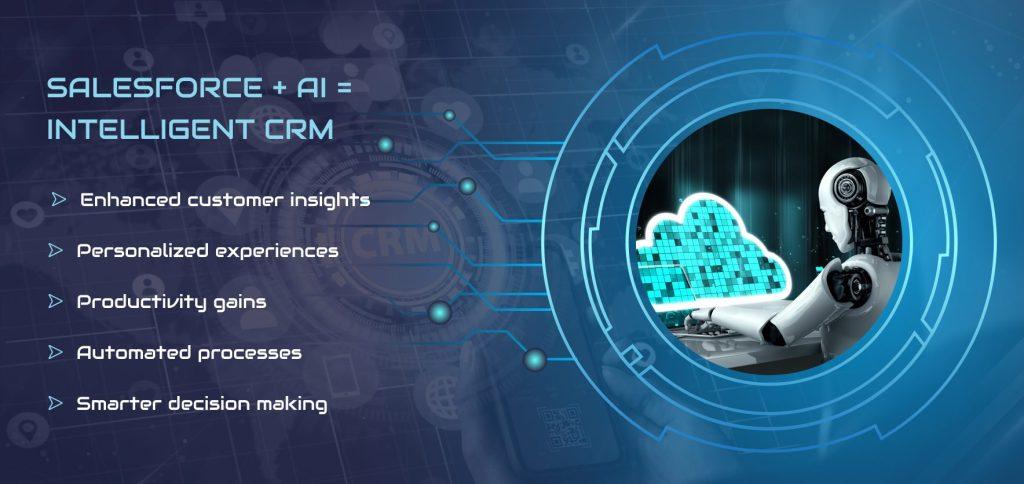
Salesforce becomes far more valuable when it acts, not when it waits. And that requires engineering, not just configuration. Enterprises are pairing Salesforce developers with AI engineers to build custom predictive logic, integrate external data sources, refine automation triggers, and ensure the CRM behaves like a decision engine, not an address book.
The result? A Salesforce development company isn't just tracking what's happening in your business, it's anticipating what's coming next and positioning teams to act before a bottleneck forms. In today's competitive environment, that edge is the difference between keeping pace and setting the pace.
What an AI-Driven Decision Engine Actually Does
Most companies sit on mountains of CRM data but make decisions the old-fashioned way, gut instinct, spreadsheets, and long Slack threads. A decision engine powered by an AI ML development company flips that script. Instead of waiting for someone to run a report or interpret a dashboard, the system reads the signals itself, much like a seasoned operator who never sleeps.
At its core, AI ML development services provider in USA helps interpret data the way a sharp analyst would, by spotting correlations, anomalies, and patterns a human team might miss on a hectic Tuesday afternoon. Machine learning models crunch historical data, evaluate probability ranges, and forecast outcomes with far more consistency than "best-guess" sales meetings. That's why companies using AI forecasting report accuracy improvements of up to 30–50% across revenue, churn, and pipeline quality.
Consider lead scoring. Instead of assigning points based on static rules, an AI engine evaluates behavior, timing, fit, buying signals, and historical win patterns. It then ranks opportunities in real time, no more sales reps chasing ghosts or wasting cycles on accounts going nowhere.
Opportunity prioritization works the same way. AI identifies which deals are heating up, which are stalling, and which need immediate action. Insight scoring goes even further by turning every interaction, email, call, form fill, support ticket, into structured intelligence that produces clear next steps rather than noise.
Business leaders care about outcomes, not jargon. And the benefits are hard to ignore:
Benefits of an AI-Driven Decision Engine
- Higher accuracy: Decisions based on predictive signals, not guesswork
- Speed: Recommendations are delivered instantly instead of waiting for reports
- Consistency: Every rep receives the same data-driven guidance
- Efficiency: Less time spent sifting through dashboards and CRM screens
In short, an AI-driven decision engine becomes the teammate who never drops the ball, never takes a sick day, and never misses a pattern hiding in plain sight.
Why Businesses Hire Salesforce Developers and AI Architects
Most enterprises quickly discover that plugging AI into Salesforce isn't a "weekend project." It isn't as simple as dropping in Einstein GPT or connecting a third-party ML model. Once the hype settles, leaders realize the truth: AI-driven decision engines require real engineering, not just AI access. That's exactly why businesses across industries aim to hire Salesforce developers, AI architects, and ML teams to build systems that think, decide, and act across the CRM, without creating operational chaos.
1. Developers Connect Salesforce to AI Models and APIs
Salesforce developers sit at the center of the integration puzzle. They build the connective tissue that lets AI models ingest Salesforce data, run predictions, and send intelligent actions back into the system.
It involves -
- Structuring API calls across Einstein GPT, external LLMs, or custom ML models
- Managing authentication and data flows
- Synchronizing predictions with Salesforce objects like Leads, Opportunities, or Cases
- Ensuring real-time execution without data collisions
2. Data Modeling, System Orchestration, and Automation Design
AI accuracy depends on structured, consistent data, something most CRMs don't have out of the box. Hire Salesforce developers now to build the data models, automation rules, and orchestration logic that AI needs to operate correctly.
This includes:
- Defining object relationships
- Normalizing fields and metadata
- Establishing rules for triggers, flows, and orchestration
- Building guardrails to avoid AI-triggered errors
Without a solid data foundation, predictions go sideways fast.
3. Integrating Einstein AI, Custom LLMs, and Predictive Layers
Modern Salesforce development company in USA often use a blend of AI tools -
- Einstein GPT for natural language logic and recommendations
- Custom LLMs for domain-specific reasoning
- Predictive ML models for forecasting, churn scoring, or product-fit analysis
Salesforce developers stitch these layers together so AI doesn't just "speak," it executes business logic as expected.
4. Why Off-the-Shelf AI Tools Fall Short Without Architecture
Most AI add-ons look great in demos and fall apart in production. They lack:
- Real integrations
- Exception handling
- Data governance
- Contextual logic
- Workflow routing
This is where the best Salesforce development service providers in USA make or break success.
5. Real Case Insight - 60% Reduction in Manual Forecasting
A mid-market SaaS sales org hired Salesforce developers + AI engineers to automate forecasting.
Before: Reps spent hours updating spreadsheets and pushing numbers through the CRM.
After:
- AI scored deals
- Surfaced high-risk accounts
- Auto-predicted quarter outcomes
- Synced updates directly into Salesforce
Result - 60% reduction in manual forecasting and a far more accurate pipeline.
Key Benefits to Hire Salesforce Developers for AI Integration
- Clean, reliable data pipelines
- Real-time AI execution
- Consistent decision logic
- Fewer manual steps
- Higher forecast precision
- Faster automation rollout
Core Components of an AI-Powered Salesforce Ecosystem
When Salesforce evolves from a CRM into an AI-driven decision engine, the real magic isn't in a single feature; it's in how the entire ecosystem is wired. Businesses that want Salesforce to guide decisions instead of just storing data need a foundation that behaves like a modern intelligence stack, not a digital filing cabinet. That means getting five layers right: data, models, decision logic, execution pathways, and a feedback loop that never sleeps.
1. Data Layer - Clean, Connected, Complete
Every AI-powered Salesforce system starts with data that's consistent and tied together across the business. This means cleansing duplicates, normalizing fields, aligning objects, and connecting Salesforce with external data sources, finance, product, marketing, support, and usage telemetry. AI is only as sharp as the signals it receives, and inconsistent data will derail insights faster than any algorithm.
2. Model Layer - Einstein GPT + LLMs + Predictive Models
This is where reasoning happens. Salesforce's Einstein GPT, domain-specific large language models, and machine learning models run side-by-side to analyze past patterns and predict future outcomes. Whether it's forecasting revenue, identifying high-value leads, or sensing churn risk, the model layer is the brain deciding what matters most.
3. Decision Layer - Rules, Logic, and Prioritization
Think of this as the "traffic controller." This layer turns predictions into decisions by applying business rules, capacity constraints, territory logic, discount policies, risk thresholds, approval matrices, and revenue priorities. The AI ML development company sense a trend, but the decision layer determines what should happen next.
4. Execution Layer - Automation That Moves Work Forward
Once the decision is made, the best Salesforce development company executes. This layer triggers workflows across Sales Cloud, Service Cloud, CPQ, Marketing Cloud, Slack, and custom integrations. Whether it's creating tasks, routing opportunities, firing off campaigns, adjusting pricing, or escalating support issues, the execution layer carries out decisions without waiting for someone to click around the interface.
5. Feedback Loop: Learning From Every Outcome
This layer ensures the system doesn't operate on "set it and forget it." Every rep action, forecast adjustment, lost deal, or customer response becomes new training data. The system gets sharper, cycle after cycle.
Business Benefits (Quick Wins)
- More accurate forecasts
- Faster handoffs across teams
- Consistent decision execution
- Less manual data wrangling
- Higher revenue predictability
Together, these layers turn Salesforce into a decision engine that operates with the speed and precision today's enterprises expect.
Real Business Use Cases
When Salesforce evolves from a data container into an AI-driven decision engine, every customer-facing and revenue-driven function starts operating with sharper precision. This shift isn't theoretical anymore; enterprises across industries are using AI and ML development services to forecast outcomes, prioritize workloads, and automate decisions that once clogged up operational pipes. Below are the most high-impact use cases business leaders are leaning into today.
Table - Business Use Cases
Sales - Predictive Lead Scoring & Opportunity Prioritization
Sales teams often rely on gut instinct or outdated reports. AI software development company in USA changes that by analyzing thousands of variables, buyer behavior, activity history, deal velocity, industry patterns to score leads and rank opportunities in real time. Reps instantly see where to focus and which deals have the highest probability of closing.
Positive outcomes -
- Higher conversion rates
- Less time wasted on low-value leads
- More accurate quarter-end projections
Marketing - Smart Segmentation & Campaign Optimization
Marketers used to build audience lists by guesswork. AI models now cluster users by intent, lifecycle stage, content behavior, and channel patterns. Campaigns adjust automatically based on performance signals, no more "spray and pray."
Positive outcome -
- Higher ROI on ad spend
- Better engagement metrics
- More relevant content delivery
Service - AI-Driven Case Routing & Auto-Resolution
Support teams lose hours triaging cases. AI reviews incoming tickets, detects issue type, identifies sentiment, checks historical resolutions, and either resolves the issue automatically or routes it to the right specialist. Agents spend less time sorting and more time solving real problems.
Positive outcome -
- Faster response and resolution times
- Lower backlog
- Increased customer satisfaction
Revenue Operations - Automated Forecasting & Churn Prediction
RevOps teams no longer need to wrangle spreadsheets deep into the night. AI models forecast revenue using dynamic signals, including pipeline velocity, buyer actions, product usage, and historical close patterns. Churn risk models alert teams before customers walk.
Positive outcome -
- More reliable forecasts
- Early risk detection
- Better planning across GTM teams
Field Teams - AI-Assisted Scheduling & Route Insights
Field teams gain AI-generated schedules based on location, workload, travel time, SLA windows, and skill requirements. This cuts down wasted miles and unnecessary dispatches.
Positive outcome -
- Better asset utilization
- Lower travel costs
- Improved SLA adherence
Technical View - How AI and Salesforce Talk to Each Other
How the Toolchain Connects Everything Together
Modern Salesforce-AI integration isn't a simple plug-and-play exercise. It requires a coordinated toolchain where APIs, data pipelines, Mulesoft connectors, and Apex automation all work in sync. APIs handle real-time requests between Salesforce and external AI endpoints. Mulesoft ties together legacy systems, SaaS tools, and cloud data warehouses so AI models have the complete picture, no data silos, no half-baked insights. Apex automation ensures the final action actually "lands" inside Salesforce: updating objects, triggering flows, pushing approvals, or creating tasks based on AI-generated decisions.
How AI Models Train, Learn, and Connect to Salesforce Objects
The intelligence layer starts outside Salesforce. Models use customer interactions, revenue history, support logs, product data, and pipeline patterns to learn behaviors and outcomes. Once trained, these models connect back into Salesforce using standardized object mapping: Opportunities, Leads, Accounts, Cases, CPQ data, and usage telemetry. Instead of throwing generic predictions at users, the system ties every suggestion, forecast shifts, lead scoring, churn probability, and next-best action directly to Salesforce objects. This is what turns raw AI output into something an enterprise can actually act on.
The Salesforce Developer's Role in Real-Time Intelligence
None of this happens without skilled Salesforce developers. They build the Apex methods, Flow orchestrations, LWC components, and API bridges that let AI talk to Salesforce with context and precision. They design sync intervals, call patterns, retry logic, and error-handling so intelligence runs smoothly. They also define the guardrails, what AI is allowed to update, what requires a human review, and what must be escalated immediately.
Data Governance and Security
Enterprise leaders care about speed, but they care even more about control. That's where governance enters the conversation. Every AI integration must follow strict audit trails, SOC2-aligned logging, field-level security, and data residency requirements. Access must be role-based, API calls must be encrypted end-to-end, and AI output must be explainable enough for compliance teams to review. Without these safeguards, no CIO will green-light automated actions, no matter how accurate the model claims to be.
Challenges and How to Overcome Them
When businesses attempt to connect Salesforce with AI-driven workflows, many discover that the roadblocks aren't just technical; they're tied to data, ownership, and decision clarity. Below are the five most common challenges business leaders face, paired with practical solutions that keep AI initiatives on track without causing operational fatigue.
1. Challenge - Data Silos and Poor Data Hygiene
Disconnected systems, duplicate records, and inconsistent fields make AI models behave unpredictably.
Solution -
The leading Salesforce development company in USA creates unified data pipelines, applies strict field-level standards, and enforces ongoing data validation rules. A clean data structure allows AI models to generate accurate forecasts and recommendations.
2. Challenge - Misalignment Between Business and Technical Teams
AI initiatives stall when product owners and engineering teams speak different "languages."
Solution -
Establish a cross-functional squad with clear roles, Salesforce developers, RevOps owners, data engineers, and business stakeholders, to define shared goals and decision logic upfront.
3. Challenge - Underestimating Governance, Audit Trails, and Explainability
AI actions without traceability raise compliance, risk, and operational concerns.
Solution -
Implement rule-based guardrails, detailed audit logs, and human-review checkpoints. This ensures every AI-initiated action can be explained and traced back when needed.
4. Challenge - Overreliance on Out-of-the-Box AI Tools
Generic AI features rarely align with industry-specific workflows or complex Salesforce org structures.
Solution -
Design a custom execution layer built by Salesforce developers who understand API behavior, field dependencies, and workflow routing logic.
5. Challenge - Undefined Ownership and Accountability
Projects stall when no team owns data quality, AI logic, or integration upkeep.
Solution -
Assign clear ownership for data integrity, workflow routing, and AI performance monitoring. Regular reviews and scorecards keep the system honest and predictable.
The ROI of AI-Driven Salesforce Systems
For years, from small to large enterprises poured money into CRM upgrades only to realize they still relied on people to chase data, clean spreadsheets, and manually interpret trends. An AI-driven Salesforce development company in USA changes that equation entirely. Instead of teams scrambling to figure out what's happening in the pipeline, AI surfaces what's most likely to happen next and why, giving leaders a clearer view of risk, opportunity, and revenue movement.
AI-powered forecasting cuts down on guesswork by analyzing historical patterns, market signals, product demand, seasonality, and rep behavior. According to recent industry benchmarks, organizations using AI-guided forecasting see accuracy improvements of 24–35% and faster planning cycles across sales and revenue operations. That speed difference is what separates companies that close deals early from those still "circling back."
These systems also shorten sales cycles. When reps receive real-time recommendations, such as which accounts to prioritize, when to follow up, and which deals are stalling, they move with more confidence and fewer delays. AI isn't replacing judgment; it's clearing the fog so teams don't spend days debating next steps.
Key Benefits
- Lower manual workload across forecasting, lead scoring, and pipeline management
- Higher accuracy in predictions, with fewer last-minute surprises
- Shorter cycle times due to automated prompts and structured decision paths
- Meaningful revenue lift driven by focused effort on the right opportunities
In short, AI-driven Salesforce development services in USA don't just organize data, they sharpen decisions, accelerate execution, and give leaders the kind of visibility where revenue growth stops being a guessing game.
How to Get Started - Salesforce + AI Integration
Getting started with AI integration with Salesforce doesn't require a massive overhaul or a year-long master plan. What leaders truly need is a practical, measurable path that shows value quickly. The smartest organizations avoid boiling the ocean and instead focus on one workflow that slows decisions, adds friction, or creates repeated back-and-forth across teams. From there, the playbook is simple, predictable, and repeatable.
Step 1 - Identify a Process That Slows Down Decisions
The best AI ML development company looks for areas where your teams constantly wait, such as forecasting updates, lead scoring debates, manual approvals, or repetitive qualification steps. These are prime candidates because they rely on rules, pattern recognition, and historical data. If a workflow consistently delays revenue decisions or customer responses, it's your starting line.
Step 2: Engage Salesforce Developers With AI Integration Experience
AI integration with Salesforce isn't plug-and-play. It requires developers who understand how Salesforce objects interact with AI models, how data flows through pipelines, and how to architect decision logic without breaking existing workflows. These specialists bridge the gap between AI reasoning and Salesforce execution, ensuring predictions aren't just insights, but triggers for real action.
Step 3: Start With a 30-Day Pilot for One Business Unit
A pilot avoids unnecessary complexity and shows executives exactly what AI can deliver. In 30 days, you can test one narrow workflow end-to-end: data ingestion, model predictions, action routing, and exception handling. This creates a real-world benchmark for accuracy, speed, and cycle-time improvements.
Step 4: Monitor, Refine, and Scale Across Departments
Once the pilot proves its value, the next step is tuning, tightening decision rules, adjusting triggers, and refining escalation logic. After stability is reached, the workflow can be replicated across departments or expanded stage by stage. This avoids chaos and keeps adoption smooth.
Smart Salesforce + AI Strategies in 2026
Salesforce development company no longer offers a place to store customer data; it's offering the core system where real business decisions take shape. The companies pulling ahead are those who choose to hire Salesforce developers who know how to pair CRM workflows with AI models, predictive logic, and automated execution. They're moving from dashboards that report what happened to engines that tell them what to do next.
As we head into 2026, the winners will be the enterprises that treat AI-driven Salesforce CRM solution - decision systems as part of their daily rhythm, not a side project. The edge will go to leaders who turn data into decisions and decisions into measurable results.

Written by
Pratik Kantesiya
AI Engineering Lead
Pratik leads AI engineering at Agile Infoways, where he architects production AI systems for enterprises across healthcare, BFSI, and logistics. He writes about practical AI delivery — what works, what does not, and what most teams miss between proof-of-concept and production.