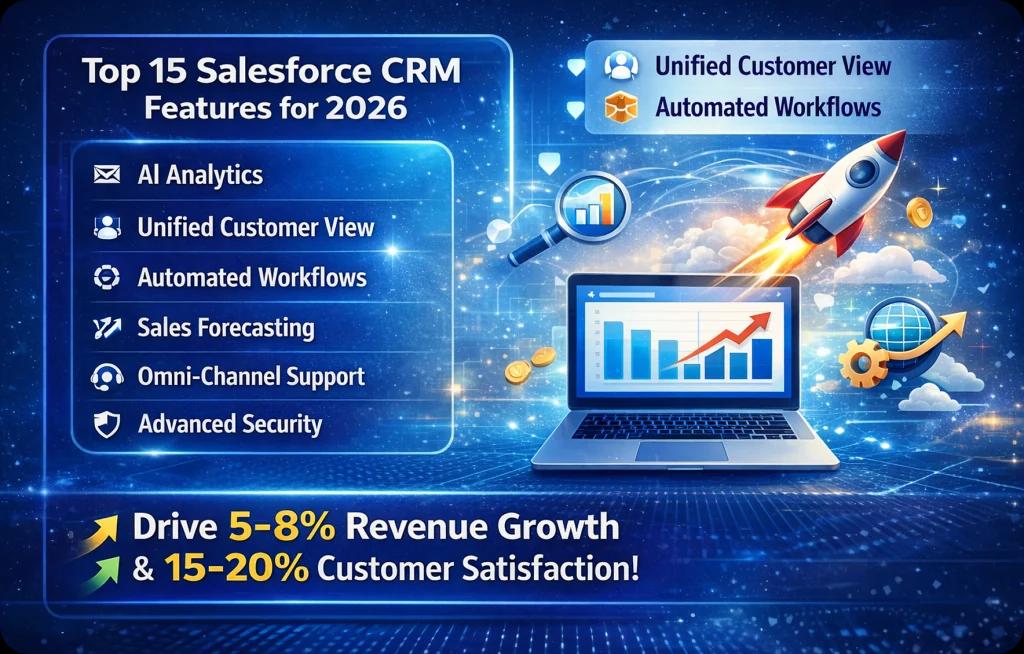
Quick summary: Explore how Salesforce CRM drives 5–8% revenue growth and 15–20% customer satisfaction gains through AI, predictive analytics, automation, and unified cloud architecture. This guide breaks down 15 powerful Salesforce CRM features and strategic insights every executive should evaluate in 2026.
CRM has moved far beyond legacy models centered on contact lists and basic segmentation. Modern Salesforce CRM supports intelligent, real-time personalization across sales, service, marketing, and commerce. Salesforce CRM now helps businesses increase revenue by 5–8% and achieve 15–20% improvements in customer satisfaction within a short period. McKinsey describes this evolution as a shift from passive data storage toward personalized, next-best experiences.
Sustainable growth becomes easier when customer data and predictive visibility work together. Salesforce connects revenue and service functions through a unified cloud architecture. Gartner projects worldwide CRM revenue will reach USD 145.6 billion by 2029, underlining CRM's strategic importance for business leadership.
Why Salesforce CRM Still Leads in 2026
Salesforce maintains the largest CRM market share, according to IDC's Worldwide Software Tracker, reinforcing its leadership position. Its multi-tenant cloud infrastructure, metadata-driven architecture, and integrated AI capabilities provide scalability, governance controls, and deep customization. Its ecosystem—including Sales Cloud, Service Cloud, Data Cloud, and Einstein—helps organizations align revenue operations with analytics and enterprise security.
The platform's value is not limited to individual features. Its deeper advantage is the ability to connect information, workflows, automation, and analytics across the customer lifecycle.
What is Driving CRM Evolution in 2026
AI acceleration, unified data platforms, and automation-first strategies are reshaping CRM priorities. McKinsey reports that effective personalization can improve revenue and customer outcomes.
Organizations increasingly hire Salesforce developers to build integrations, deploy forecasting models, automate workflows, and strengthen governance. Growth-focused businesses evaluate CRM through measurable impact, operational discipline, predictive intelligence, regulatory requirements, and long-term scalability.
15 Best Salesforce CRM Features That Benefit Businesses
1. Contact Management
Contact management centralizes customer profiles, account hierarchies, communication history, relationships, and activity tracking. It gives sales and service teams a consistent customer view while maintaining relational data inside the CRM.
Benefits
-
Unified customer visibility
-
Faster lead qualification
-
Improved personalization
-
Fewer duplicate records
-
Stronger sales coordination
2. A Single Source of Truth
Salesforce unifies sales, marketing, commerce, and service data in a centralized architecture. Real-time synchronization reduces silos and creates more consistent reporting across departments and executive dashboards.
Benefits
-
Accurate enterprise reporting
-
Cross-functional alignment
-
Reduced data conflicts
-
Reliable forecasting inputs
-
Better compliance tracking
3. Reports, Dashboards, and Analytics
Configurable dashboards, real-time performance metrics, and AI-assisted analytics convert operational data into strategic insights for revenue, pipeline, customer-service, and management decisions.
Benefits
-
Data-driven decisions
-
Pipeline transparency
-
Revenue performance tracking
-
Executive visibility
-
Faster identification of issues
4. Cloud-Based and Mobile CRM
Salesforce operates on cloud infrastructure with mobile access, allowing remote and field teams to update records, manage pipelines, and respond to customers across devices.
Benefits
-
Remote accessibility
-
Automatic platform updates
-
Lower infrastructure overhead
-
Real-time record updates
-
Better business continuity
5. AI, Automation, Workflows, and Approvals
Predictive models, rule-based automation, Flow, and structured approvals reduce manual tasks, improve lead prioritization, and accelerate work across departments.
Benefits
-
Reduced manual workload
-
Faster sales cycles
-
Intelligent prioritization
-
Improved process accuracy
-
Greater operational efficiency
6. Collaboration Tools
Shared activity feeds, document management, contextual messages, and collaboration integrations streamline communication around deals, accounts, opportunities, and service cases.
Benefits
-
Faster communication
-
Improved deal collaboration
-
Reduced dependency on email
-
Centralized knowledge sharing
-
Enhanced team productivity
7. Scalability, Flexibility, and Customization
Salesforce supports custom objects, Apex development, APIs, and low-code tools. Organizations can adapt workflows, interfaces, permissions, and data models as their requirements evolve.
Benefits
-
Long-term scalability
-
Industry-specific configuration
-
Gradual feature expansion
-
Process adaptability
-
Reduced re-platforming risk
8. Sales Forecasting and Opportunity Management
Opportunity stages, probability metrics, activity history, and AI-assisted forecasts improve revenue predictability and pipeline visibility.
Benefits
-
More accurate revenue projections
-
Earlier identification of pipeline risk
-
Improved quota planning
-
Stronger sales accountability
-
Better strategic planning
9. Product-Level Quotes and Order Management
Salesforce can manage pricing rules, discount approvals, product configurations, quotes, contracts, and order lifecycles through standardized workflows.
Benefits
-
Faster quote generation
-
Consistent pricing
-
Reduced approval delays
-
Fewer order errors
-
Improved revenue control
10. Omnichannel Support
Omnichannel service connects email, phone, chat, messaging, social channels, and other customer touchpoints through a unified console with intelligent case routing.
Benefits
-
Consistent customer experiences
-
Faster response times
-
Complete interaction history
-
Improved satisfaction
-
More efficient case resolution
11. Customer Self-Service
Portals, searchable knowledge bases, communities, and AI assistants allow customers to resolve common issues independently using governed service content.
Benefits
-
Lower support costs
-
24/7 availability
-
Faster issue resolution
-
Reduced agent workload
-
Higher customer satisfaction
12. Field Service and Campaign Management
Salesforce can coordinate technician scheduling, dispatch, work orders, location information, assets, and mobile service. Its marketing capabilities also help teams plan and measure campaigns across customer segments.
Benefits
-
Optimized field operations
-
Improved campaign ROI
-
Better resource allocation
-
Real-time service updates
-
Increased customer retention
13. Journey Orchestration
Journey orchestration creates multistep customer experiences using behavioral triggers, segmentation, decision logic, and automated engagement across channels.
Benefits
-
Personalized engagement
-
Higher conversion potential
-
Improved lead nurturing
-
Better lifecycle tracking
-
Stronger brand consistency
14. Third-Party Integration
Salesforce connects to ERP, finance, marketing, support, data platforms, and custom applications through APIs, middleware, events, and prebuilt connectors.
Benefits
-
A more unified technology ecosystem
-
Real-time data synchronization
-
Reduced manual entry
-
More accurate reporting
-
Streamlined operations
15. Security
Salesforce provides role-based access, field-level permissions, encryption capabilities, audit logs, session controls, and compliance tooling. A Salesforce development company can configure these features around the organization's governance model.
Benefits
-
Data protection
-
Regulatory compliance support
-
Controlled system access
-
Monitoring and auditability
-
Greater enterprise trust
Frequently Asked Questions About Salesforce CRM
What Makes Salesforce Different from Other CRM Platforms?
Salesforce combines a broad cloud ecosystem, AI-assisted analytics, extensive customization, integration options, and enterprise scalability. Its primary advantage is the ability to align sales, service, marketing, commerce, automation, and customer data in one extensible platform.
Is Salesforce Suitable for Small and Large Enterprises?
Yes. Salesforce supports growth-stage organizations and global enterprises through modular products, configurable workflows, different editions, industry capabilities, and scalable architecture. The selected implementation should match the organization's current complexity and growth plans.
How Secure is Salesforce for Enterprise Data?
Salesforce supports role hierarchies, profiles, permission sets, field-level security, encryption, audit trails, and compliance certifications. Security still depends on correct architecture, configuration, identity management, monitoring, and data-governance practices.
Can Salesforce Be Customized for Industry-Specific Needs?
Yes. Industry clouds, configurable objects, APIs, automation, and custom development allow organizations to align Salesforce with sector regulations, workflows, terminology, and performance measures without rebuilding the core platform.
How Long Does Salesforce Implementation Take?
Timelines depend on organizational size, data quality, integrations, customization, security, and rollout scope. Focused deployments may take weeks, while complex enterprise programs can take several months. Clear planning, executive sponsorship, and user involvement strongly affect delivery speed.
What is the Salesforce Cost Structure in 2026?
Salesforce generally follows subscription-based, per-user pricing with multiple editions and optional products. Leaders should assess total cost of ownership, including licenses, implementation, integration, data migration, customization, training, support, and ongoing optimization.
How to Choose the Best-Fit CRM Features
Align Capabilities with Business Objectives
Evaluate CRM features against strategic priorities such as revenue growth, margin improvement, retention, service quality, and operational efficiency. Map forecasting, analytics, and automation directly to measurable KPIs.
Identify Department-Specific Requirements
Sales, marketing, service, finance, and operations use different workflows and governance rules. Assess reporting structures, approval hierarchies, visibility, handoffs, and cross-functional dependencies before selecting capabilities.
Evaluate Scalability and Customization
A future-ready CRM should support custom data models, APIs, role-based permissions, multi-entity structures, regional deployments, and growing data volumes. Avoid unnecessary customization, but ensure the architecture can support acquisitions, products, and regulatory changes.
Consider Integration with Existing Systems
CRM creates more enterprise value when it connects with ERP, marketing automation, finance, analytics, support, and data platforms. Evaluate API coverage, middleware compatibility, events, synchronization, monitoring, and error recovery.
Assess ROI, Adoption, and Long-Term Value
Look beyond licensing. Measure implementation complexity, adoption, training, maintenance, integration, and support. Define target outcomes such as forecast accuracy, shorter sales cycles, increased customer lifetime value, and reduced manual effort.
Keep Up with CRM Updates in 2026 and Beyond
CRM performance is not static. Data models, automation, analytics, integrations, and governance require continuous refinement as revenue strategies and customer expectations evolve. Organizations that routinely audit workflows and dashboards gain better operational visibility and user adoption.
Salesforce regularly introduces AI enhancements, industry capabilities, and platform upgrades. Teams that evaluate releases deliberately can operationalize useful improvements without adding unnecessary complexity or risk.
Business leaders planning CRM expansion should assess architecture, define measurable KPIs, and prioritize scalable customization. Partnering with a Salesforce development company supports structured roadmaps, secure integrations, and phased delivery aligned with growth objectives.

Written by
Pratik Kantesiya
AI Engineering Lead
Pratik leads AI engineering at Agile Infoways, where he architects production AI systems for enterprises across healthcare, BFSI, and logistics. He writes about practical AI delivery — what works, what does not, and what most teams miss between proof-of-concept and production.